
How do integrations work?
Integrations connect Decode to the tools you already use, so participant recruitment, media files and meeting recordings flow into your workspace without manual transfer. This article explains what is available and how to manage integrations.
THE INTEGRATIONS LIST
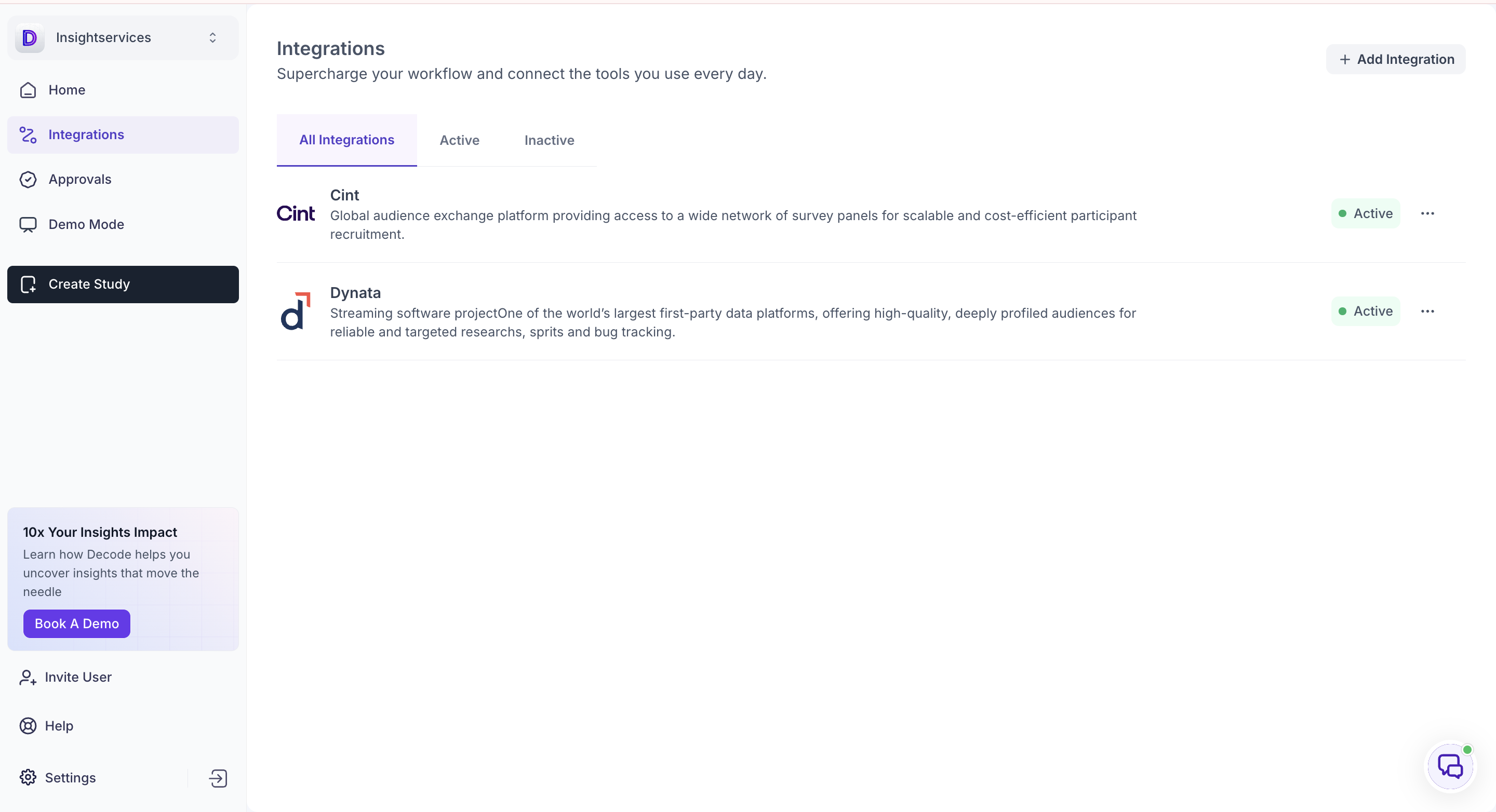
The list shows every integration on your workspace with its current status.
Three tabs control what is shown. All Integrations shows everything, Active shows only integrations currently in use, and Inactive shows those that have been deactivated.
AUDIENCE PANELS
Cint and Dynata are active on your workspace by default. Both are audience panels used for participant recruitment, and they underpin the Decode Audience Cloud, so recruiting participants through Decode uses these connections.
Cint. A global audience exchange platform providing access to a wide network of survey panels for participant recruitment.
Dynata. A first-party data platform offering deeply profiled audiences for targeted research.
Because they are active by default, no setup is needed to recruit through Decode Audience Cloud.
ADDING AN INTEGRATION
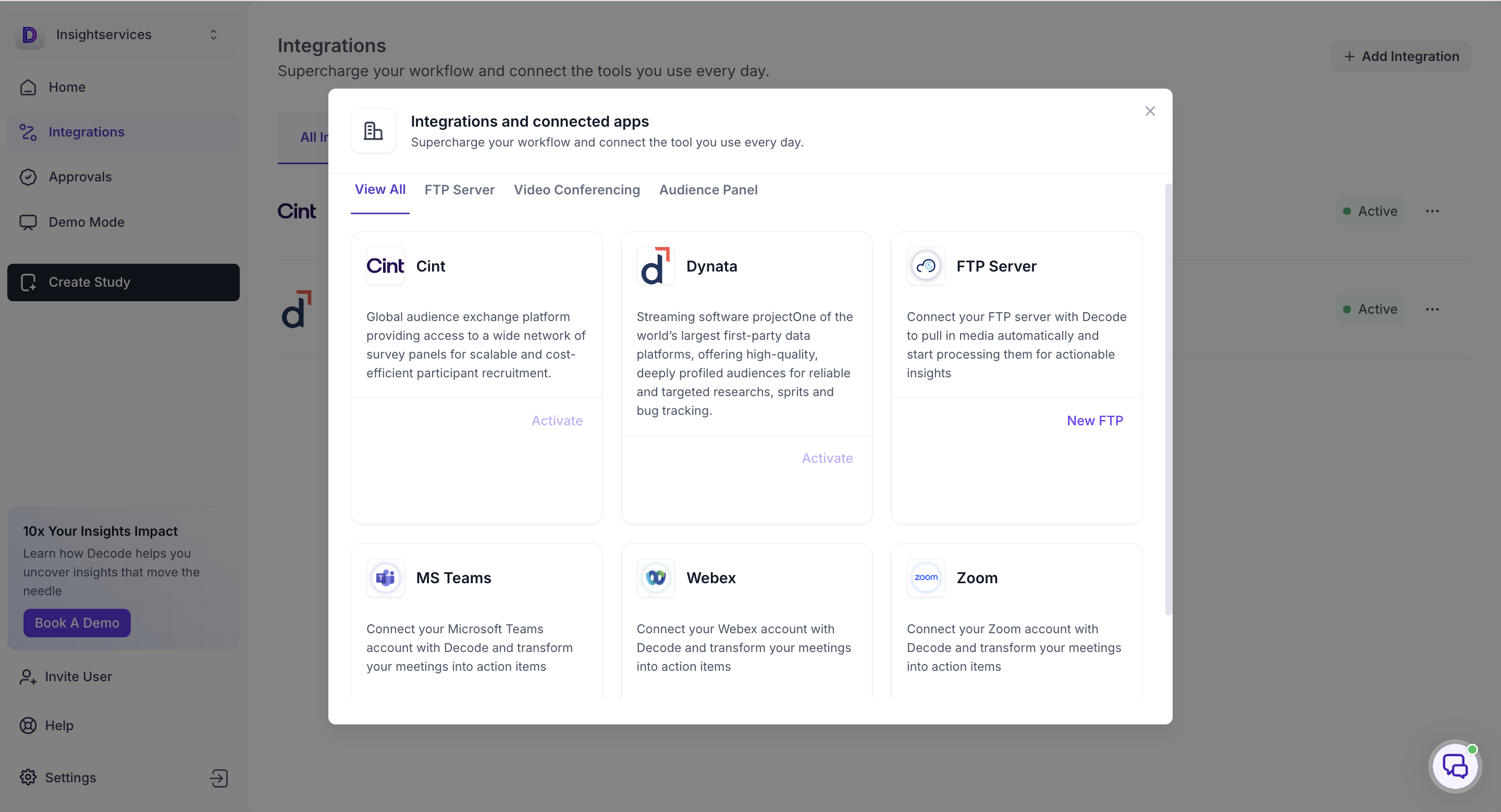
Click Add Integration to open the Integrations and connected apps panel.
Use the tabs to browse by type: View All, FTP Server, Video Conferencing, or Audience Panel.
FTP Server
Connect your FTP server to Decode to pull in media automatically and start processing it for insights. Click New FTP to set up a connection.
Use this where media arrives on a server rather than being uploaded by hand.
Video conferencing
MS Teams, Webex and Zoom can each be connected to Decode. Click Connect on the one you use.
Connecting an account brings your meetings into Decode and turns them into action items.
Audience panels
Cint and Dynata each show Activate where they are not currently active on your workspace.
DEACTIVATING AN INTEGRATION
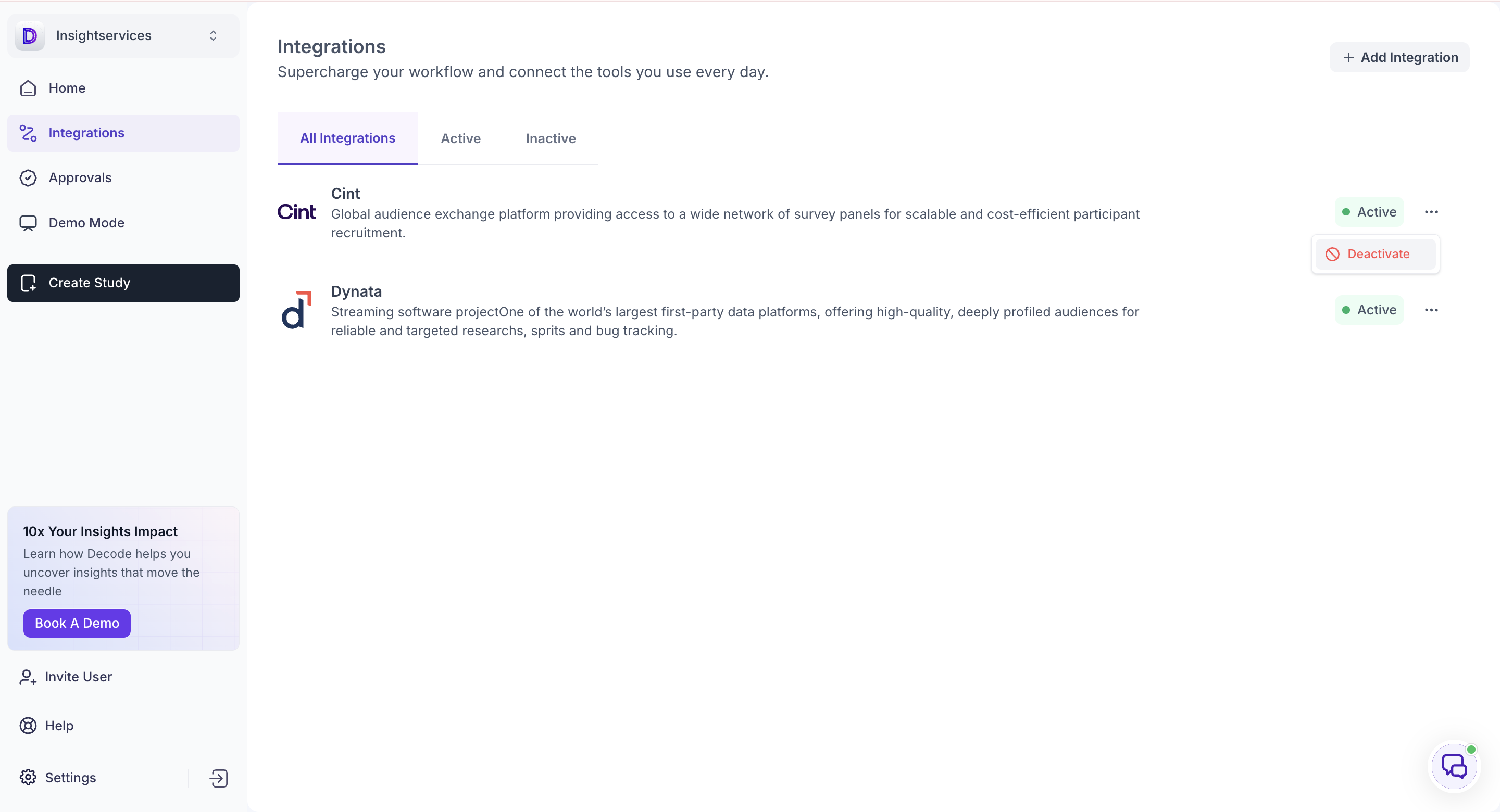
Open the three-dot menu on any active integration and select Deactivate.
The integration moves to the Inactive tab and stops being used. Deactivating an audience panel means it is no longer available for participant recruitment, so check what is in field before deactivating Cint or Dynata.
REACTIVATING AN INTEGRATION
Open the Inactive tab, or Add Integration, and select Activate on the integration you want back in use.