Managing Files in Insights Hub
The Dashboard
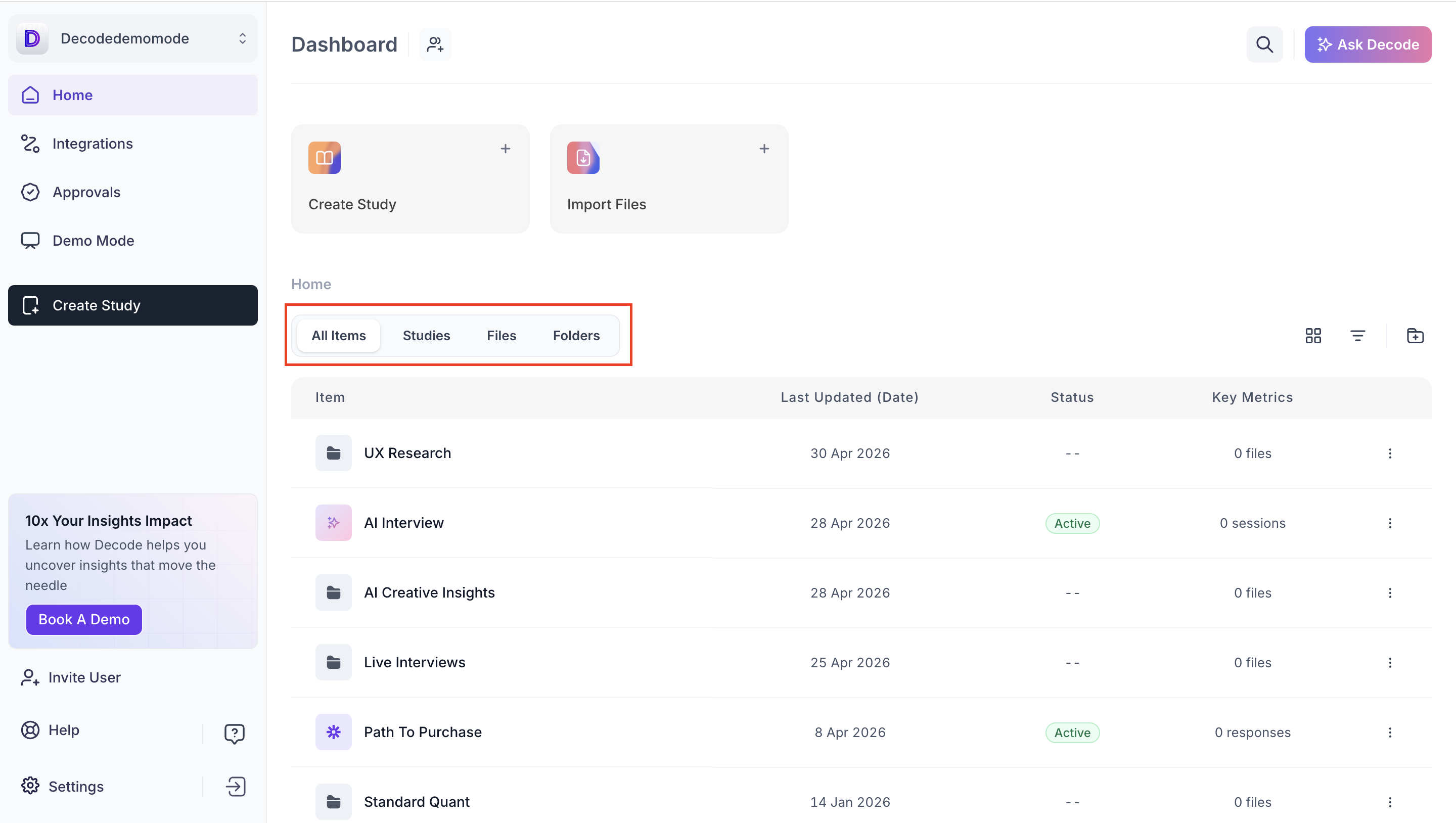
The Dashboard is the main view in Insights Hub. It lists all files and folders in your workspace. Each item in the list shows four columns of information.
Column | What it shows | Example values |
Item | The name given to the file or folder when it was uploaded. | Shopper Research Report.pptx |
Last Updated | The date the file was most recently edited or processed. | 3 May 2026 |
Status | Whether the file is active, in draft, or still processing. | Active, Draft |
Key Metrics | A quick count of sessions or files associated with the item. | 8 files, 0 sessions |
Use the tabs above the list to filter by item type. All Items shows everything in the workspace. Studies, Files and Folders each show only items of that type.
Folders
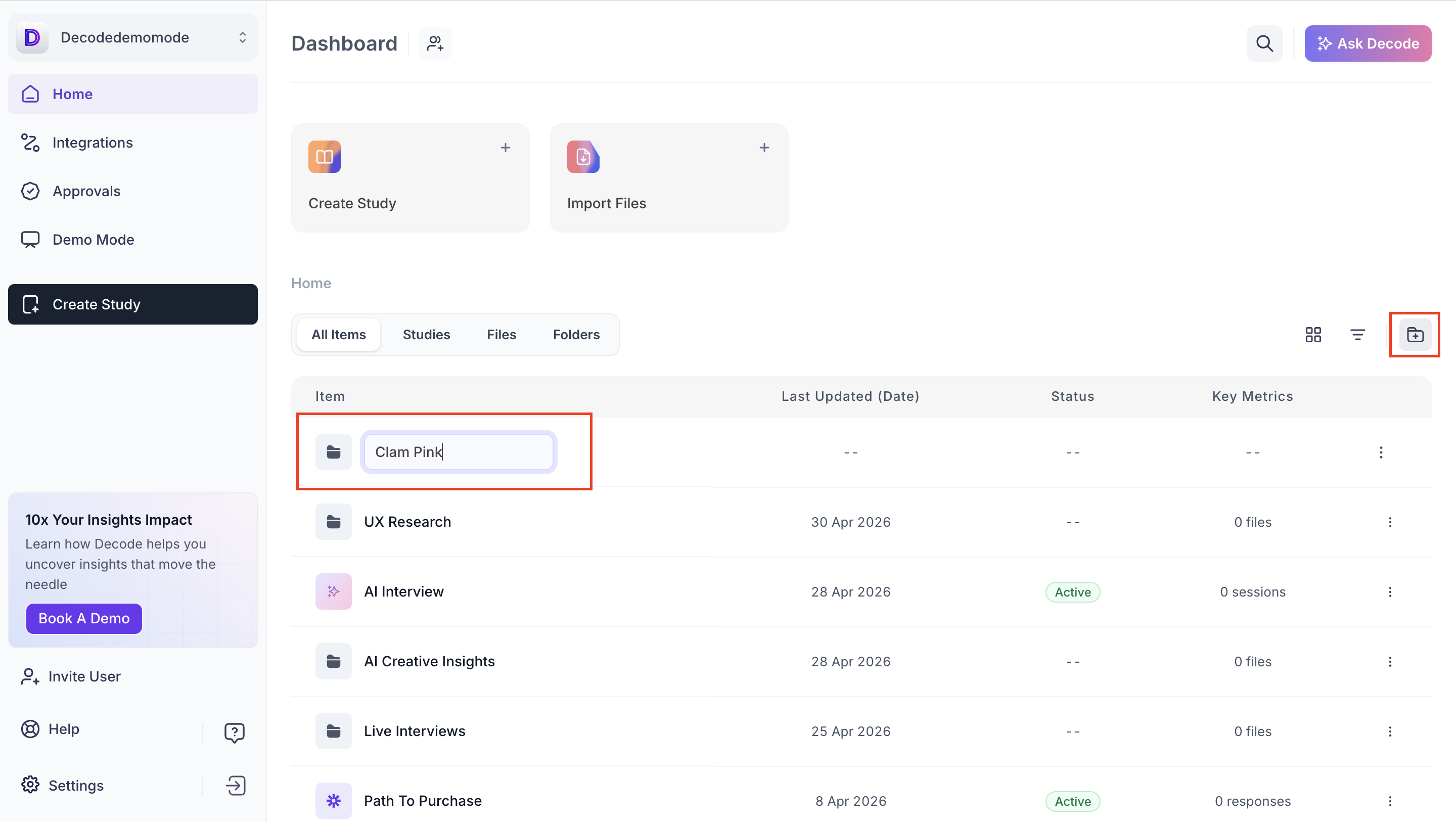
Folders let you group related files together. You can create as many folders as you need and organise them by project, client, topic or any structure that works for your team.
Creating a folder
- Click the folder icon at the top right of the Dashboard table.
- Enter a name for the folder and confirm. The folder appears in the Dashboard list and is visible to everyone on your workspace.
File and folder actions
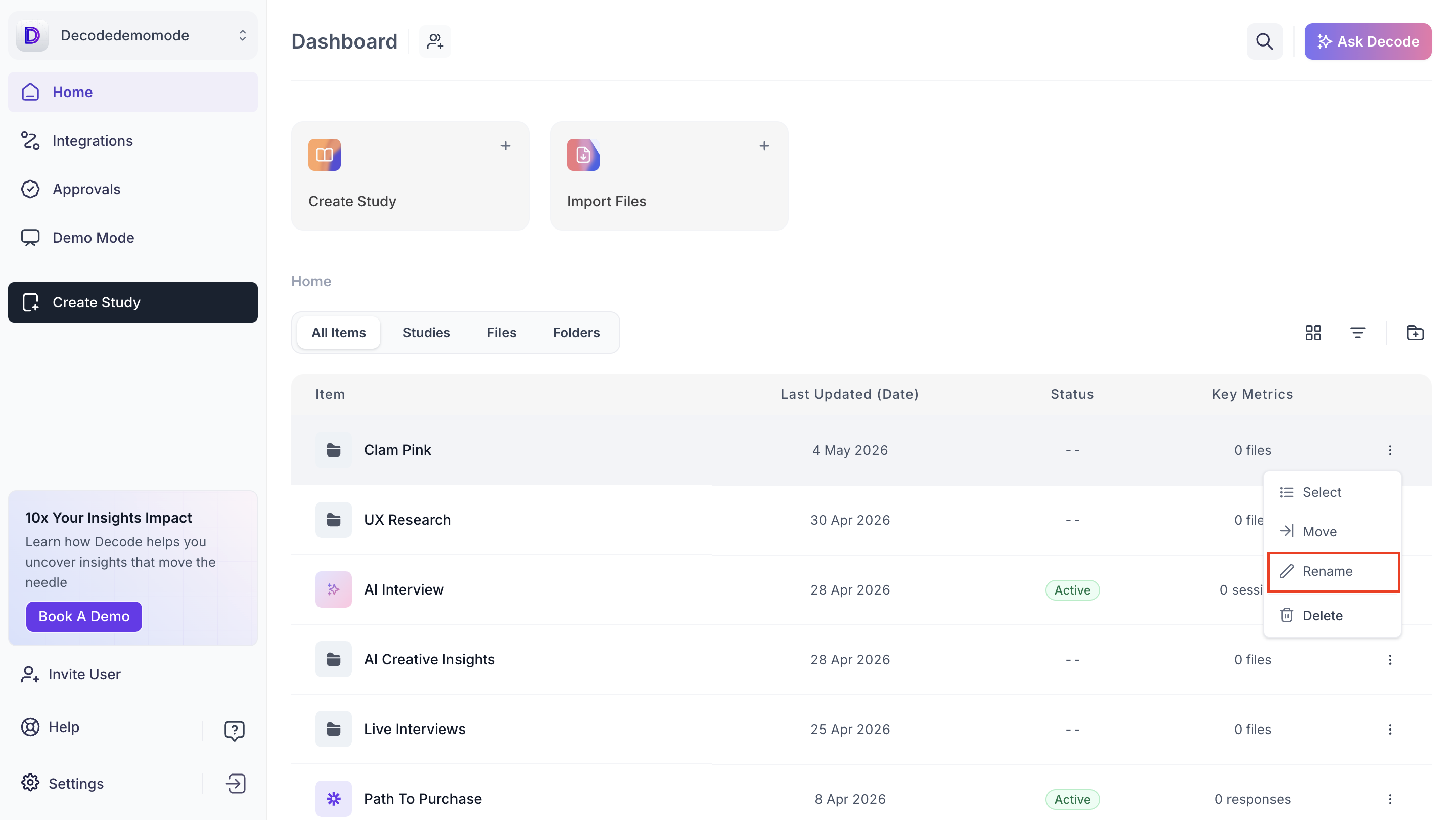
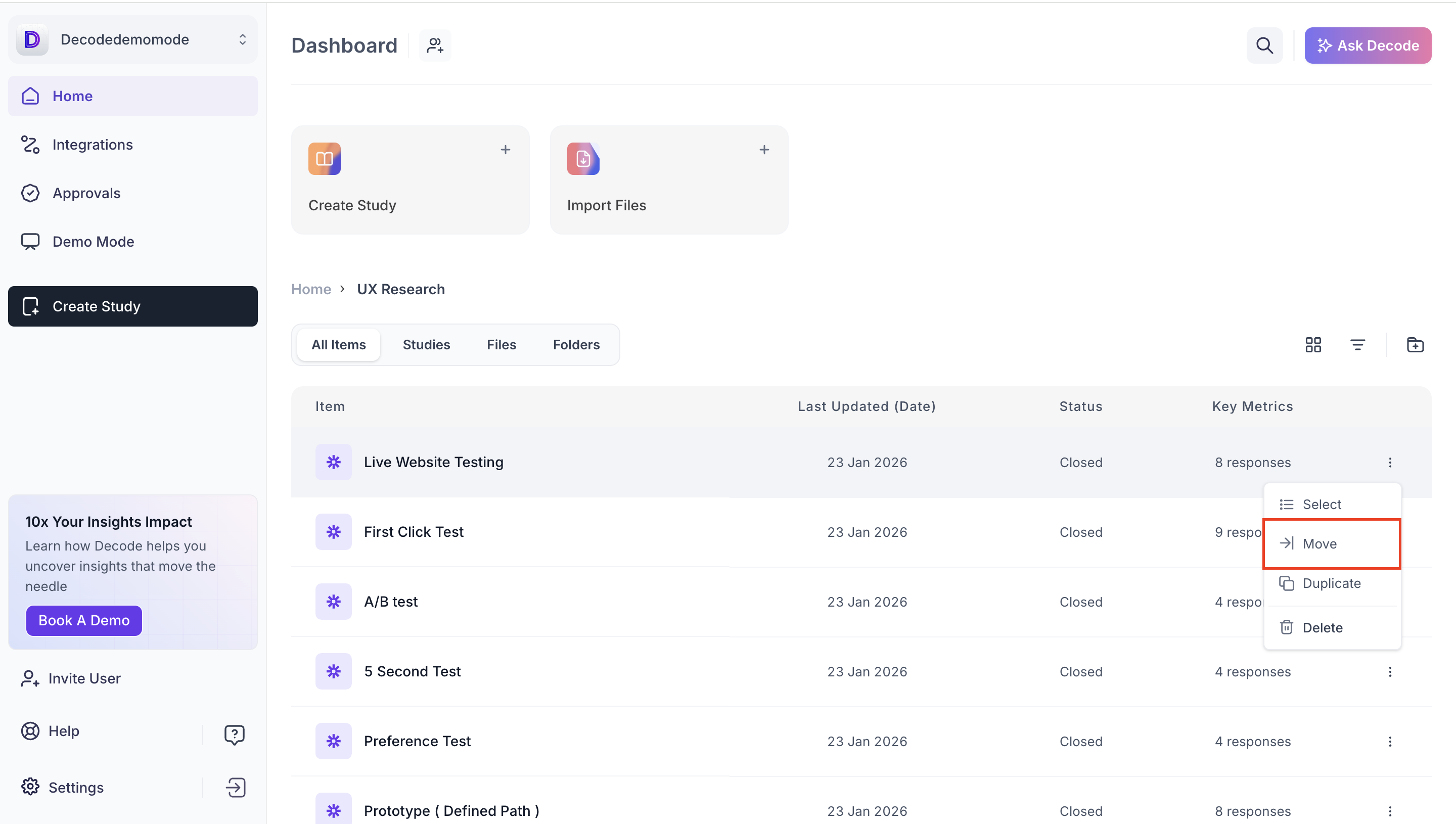
Each item in the Dashboard list has a three-dot menu on the right. Click it to see the actions available for that item.
Renaming a file or folder
Open the three-dot menu for the item and select Rename. Type the new name and confirm. The updated name appears in the Dashboard list immediately.
Moving a file into a folder
Open the three-dot menu for the file and select Move.
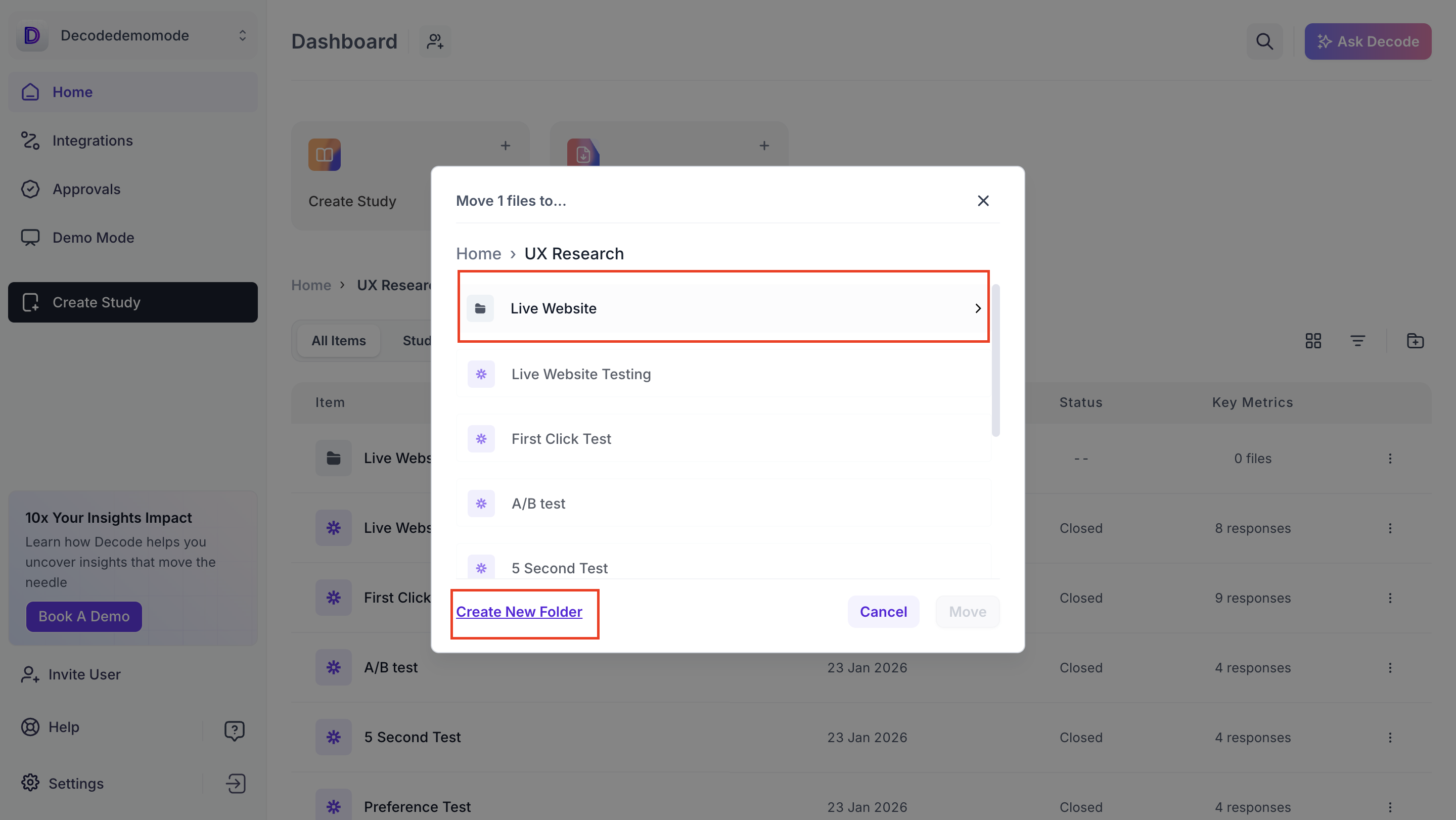
Select the destination folder from the list. The file moves into that folder and no longer appears in the top-level Dashboard list.
Result: The file is accessible from inside the folder.
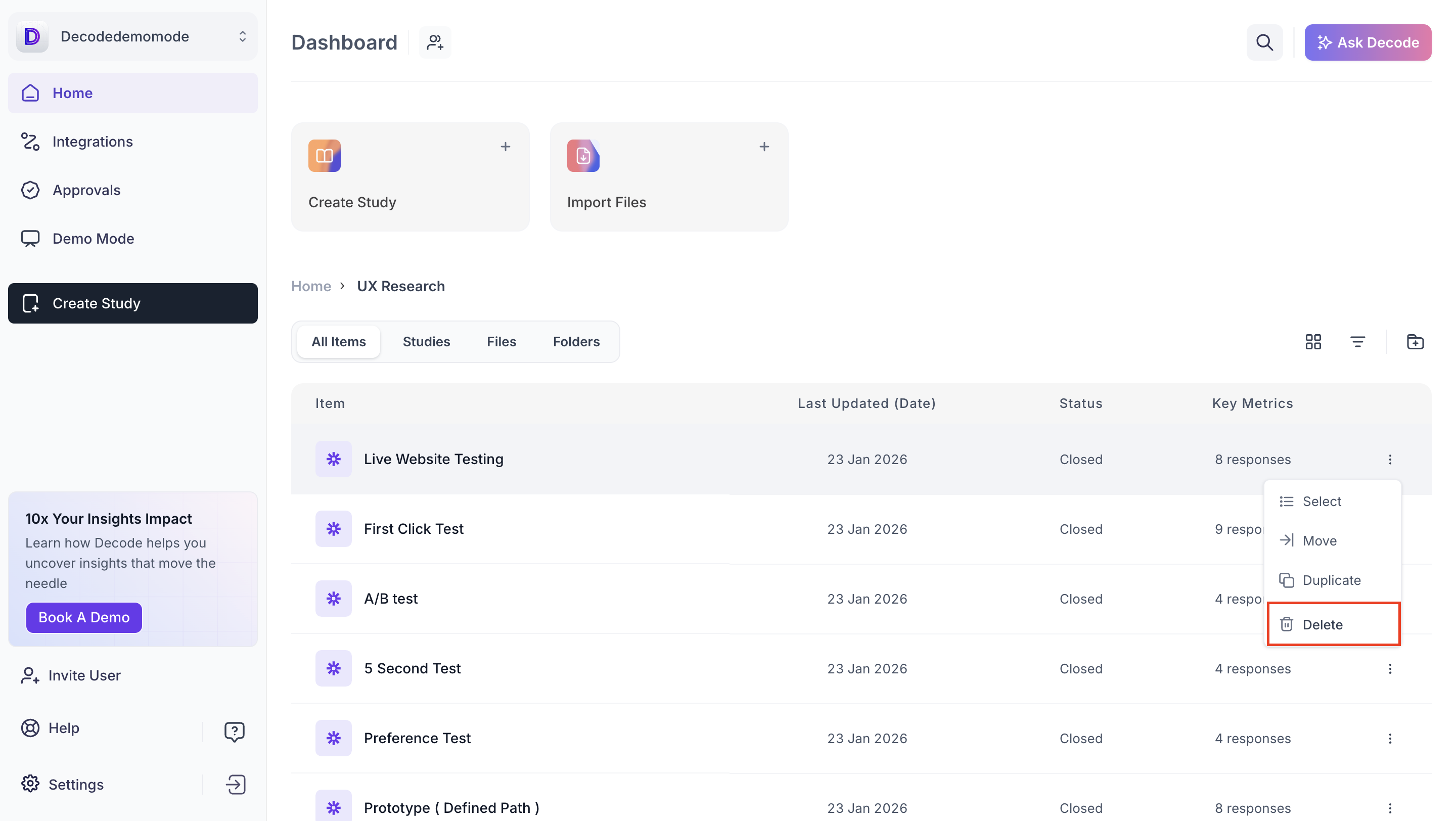
Deleting a file or folder
Open the three-dot menu for the item and select Delete.
Confirm the deletion when prompted.
Result: The item is removed from the workspace. Deleted files and folders cannot be recovered.