
Using a Synthetic Audience in AI Creative Insights
A synthetic audience is applied to a creative at the point of upload. This article explains where to select it and what it changes.
SELECTING AN AUDIENCE AT UPLOAD
In the AI Creative Insights upload dialog, each file has a Title, a Category, a Sub-Category and an Audience field.
Open the Audience dropdown to see every synthetic audience available in your workspace. Select the audiences you want the creative evaluated against. The dropdown uses checkboxes, so more than one audience can be applied to the same creative.
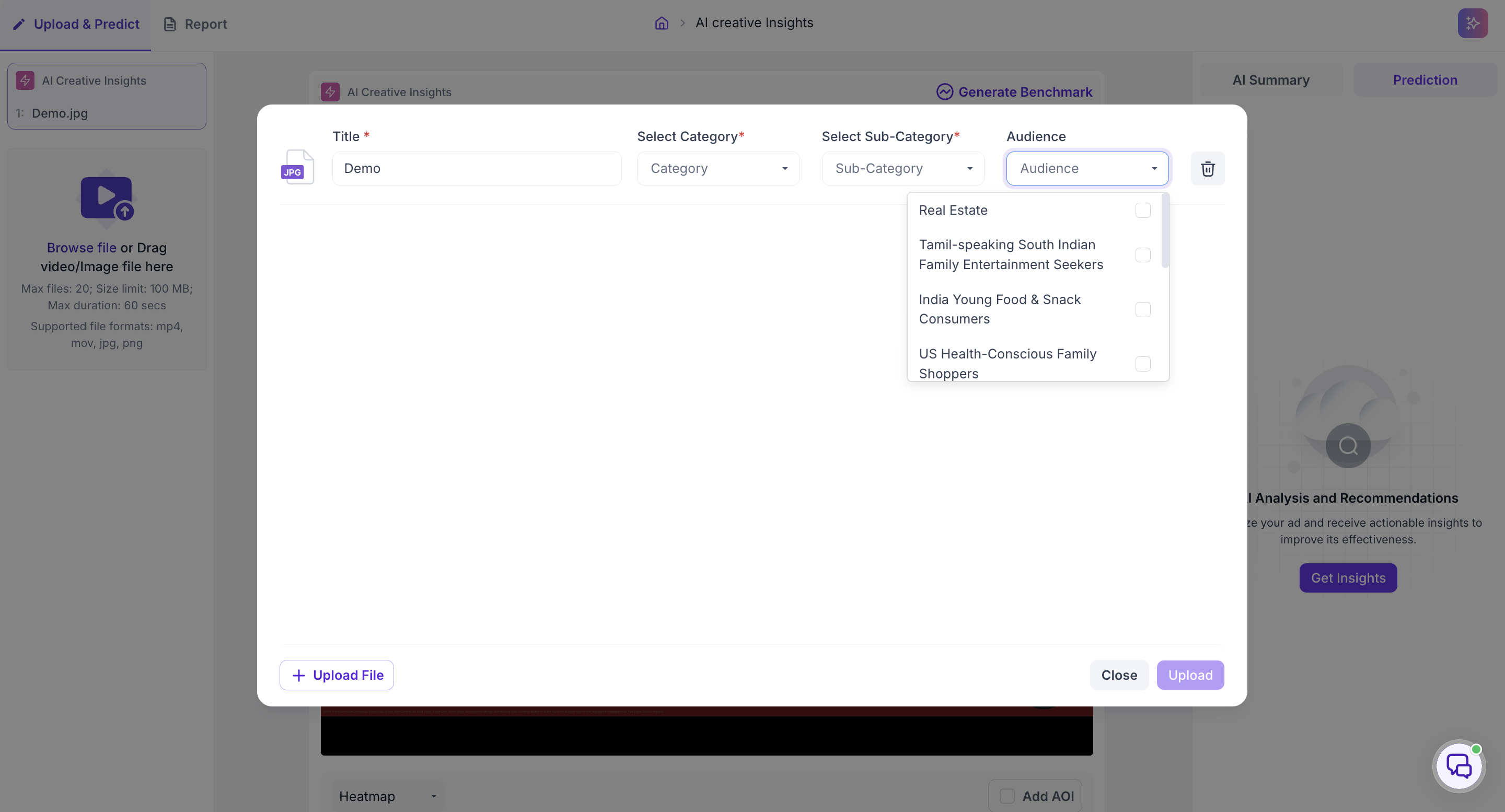
Audience is optional. Leaving it unset runs the evaluation for a general viewer. Category and Sub-Category are required regardless, since they set the benchmark the creative is scored against these input.
Click Upload to run the analysis.
CHOOSING THE RIGHT AUDIENCE
The audience you select decides whose perspective the creative is assessed from, so it should match the group the creative was built for rather than the broadest group available.
If you are comparing versions of a creative, apply the same audience to each one. A version that wins for a general viewer does not always win for a specific group, and that difference only shows up when the audience is held constant across the versions.
WHAT IT ADDS TO THE RESULTS
With an audience applied, the results carry persona-level output alongside the standard scores and maps, showing how the creative performs for each persona rather than as a single overall figure.