
Release Notes - 13th August, 2026
This release introduces enhancements across Qualitative Research, AI Moderator, Behavioral Analytics, Live Interviews, Decode Copilot, and the overall platform experience, along with several bug fixes to improve usability, reliability, and the overall research workflow.
Key highlights include flexible session scheduling and Instant Meetings for qualitative studies, AI-powered Behavioral Insights for individual interviews, Context-Aware AI Moderator capabilities, an improved AI Moderator meeting experience with screen sharing, more reliable server-side recording, the native 100ms Live Interview experience, and enhanced Decode Copilot insights using creative metrics and persona-level data.
Features
1. Qualitative Research – Flexible Session Scheduling & Instant Meetings
Overview
We’ve made improvements to the qualitative session scheduling experience and introduced Instant Meetings to make it easier to manage and conduct participant sessions.
What’s Changed
Flexible Session Times
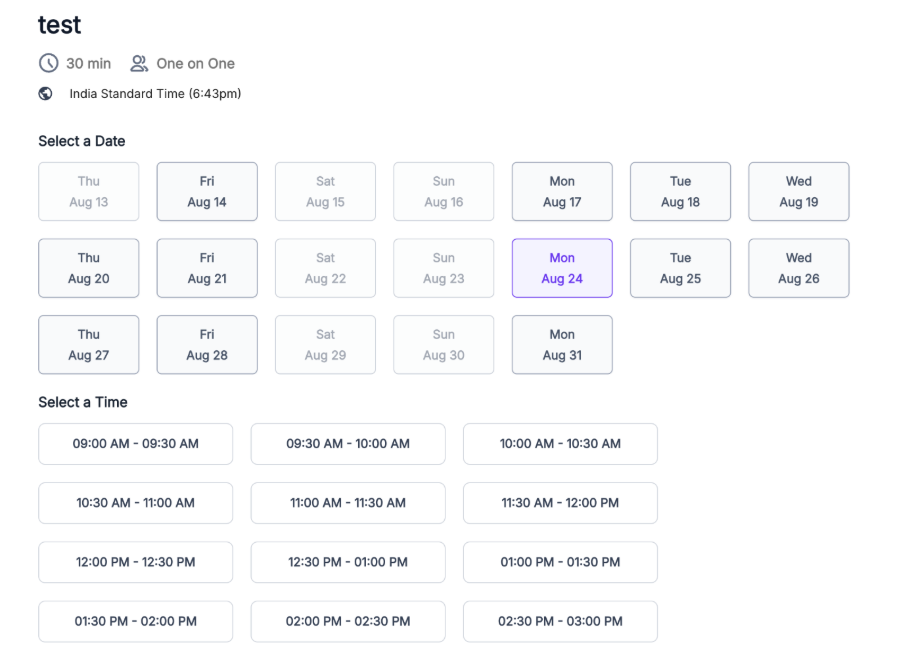
Researchers can now configure sessions at more flexible time intervals, rather than being restricted to whole-hour times. For example, sessions can be scheduled for 9:15 AM, 10:40 AM, or 4:45 PM, depending on the configured availability.
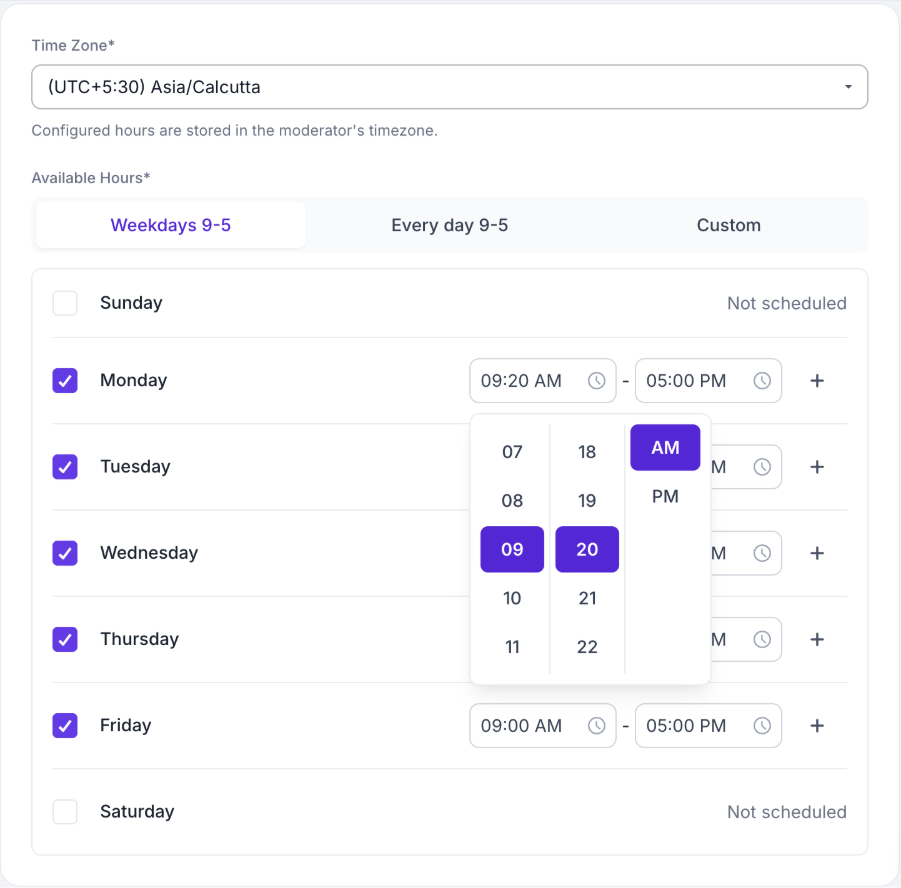
Participants will also see only the dates and time slots that are actually available, making it easier to find and book a suitable session.
We’ve also improved session handling around:
- Session availability
- Booking conflicts
- Joining sessions after the scheduled start time
- Time zones
- Session limits
- Minimum booking notice
Instant Meetings
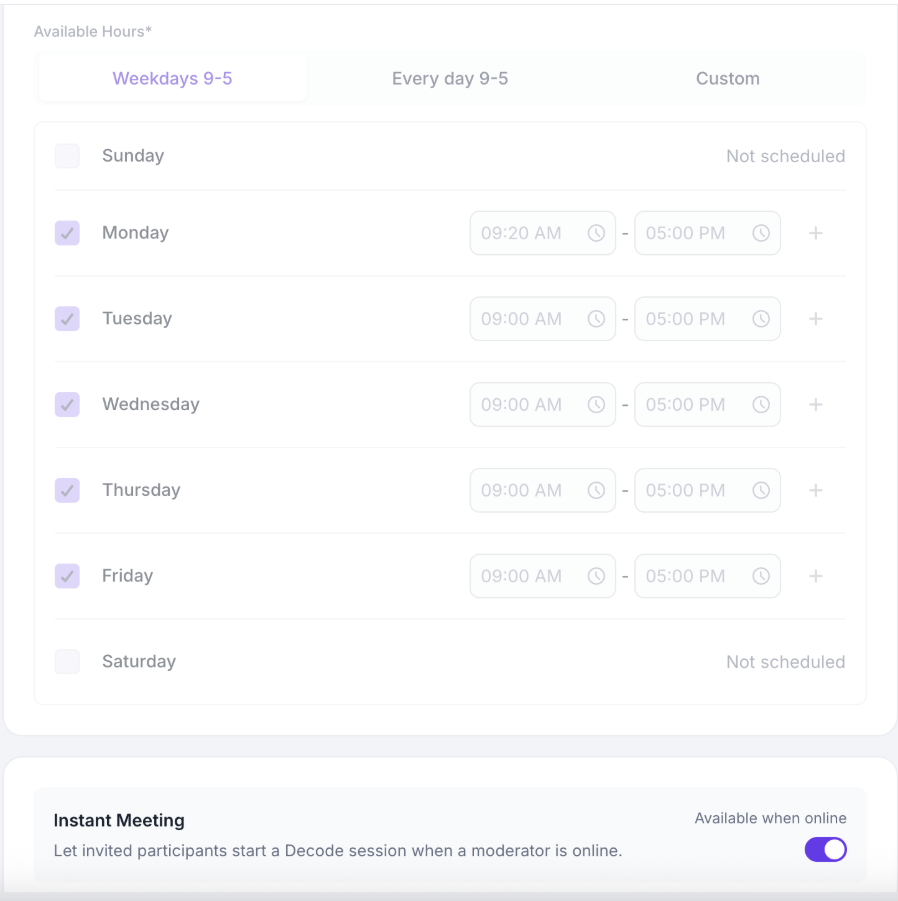
Researchers can now configure a qualitative study as an Instant Meeting, allowing participants to join without booking a specific time in advance.
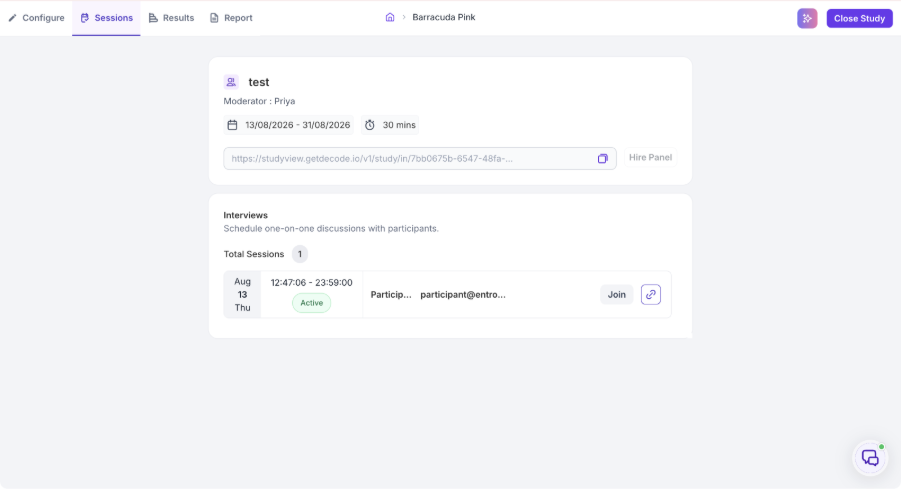
Once Instant Meeting is enabled, Decode generates a session link for the study for each day. Participants can use the link to join at any time during the available period, and the moderator can join the session and admit the participant when they are ready.
Instant Meetings:
- Allow participants to join without booking a specific time slot.
- Generate a dedicated session link for each day.
- Allow moderators to join and admit participants when they are ready.
- Count toward the study’s session target.
- Use the existing study settings, including recording, facial coding, and face blur where configured.
- Are marked as Instant in reporting.
- Do not require calendar invites or reminders.
Why This Matters
- Provides more flexibility when configuring session times.
- Makes it easier for participants to find and join available sessions.
- Reduces scheduling and booking friction.
- Gives moderators more flexibility to conduct sessions when participants are ready.
- Creates a smoother experience for managing qualitative research sessions.
2. AI-Powered Behavioral Insights for Individual Interviews
Overview
Decode now provides Behavioral Insights for individual interviews, helping researchers understand how participants behave and communicate during an interview, in addition to what they say.
The experience brings together behavioral, conversational, and communication insights to help researchers identify important moments and understand how participant behavior changes throughout the conversation.
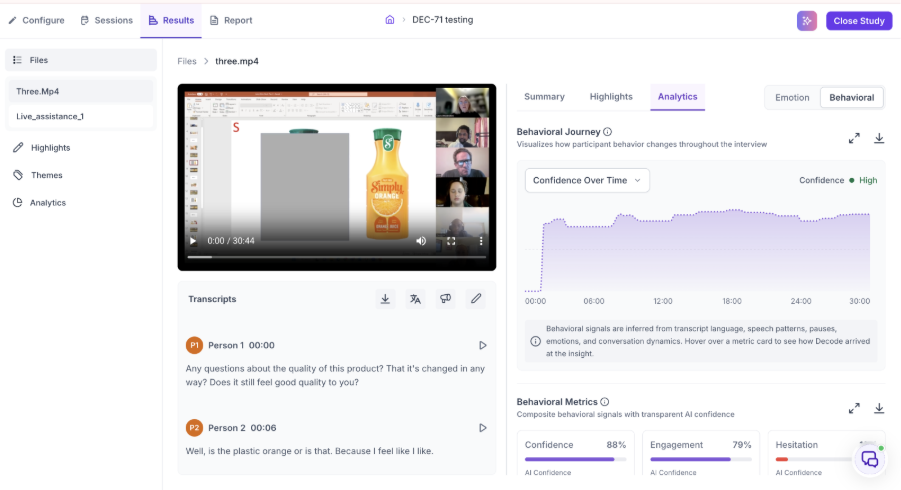
What’s Changed
The Behavioral Insights experience includes five key areas:
Behavioral Journey
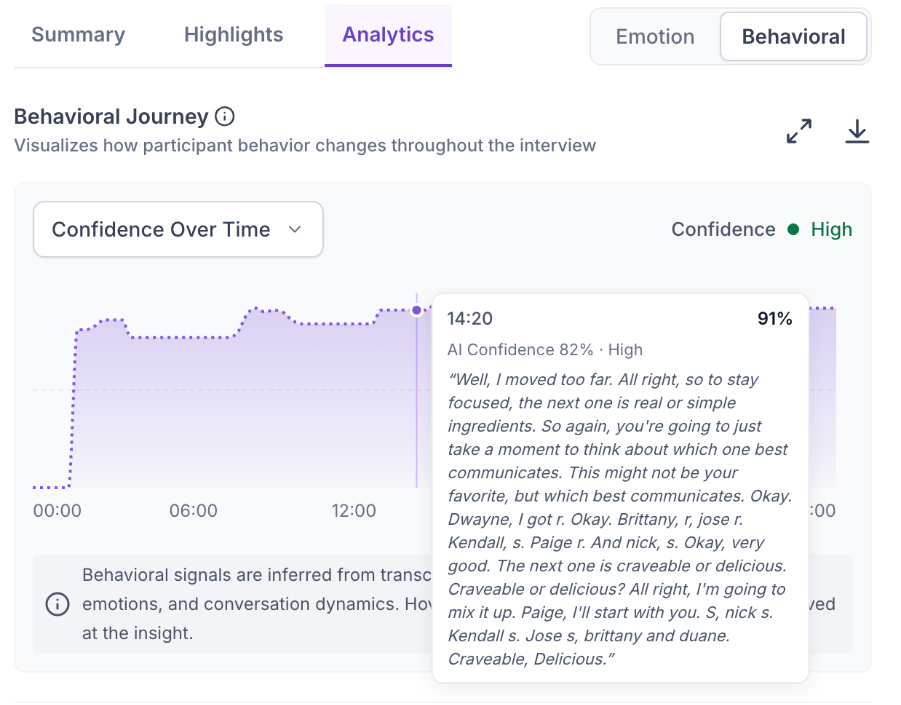
The Behavioral Journey shows how a participant’s behavior changes throughout the interview.
Researchers can view changes in:
- Confidence – How certain or convinced the participant appears when expressing their views.
- Engagement – How actively involved the participant appears to be in the conversation.
- Hesitation – The extent to which the participant appears uncertain or takes longer to formulate a response.
- Cognitive Load – Indicates moments where the participant appears to be putting more mental effort into processing or responding.
- Decision Readiness – Indicates how close the participant appears to be to forming or expressing a clear decision.
This helps researchers identify when behavioral changes occurred and what was being discussed at those points in the interview.
For example, a participant may appear confident while discussing a familiar product but show more hesitation when discussing pricing. The Behavioral Journey helps identify these changes across the interview timeline.
Behavioral Metrics
The Behavioral Metrics section provides an overall view of the five key behavioral measures:
- Confidence
- Engagement
- Hesitation
- Cognitive Load
- Decision Readiness
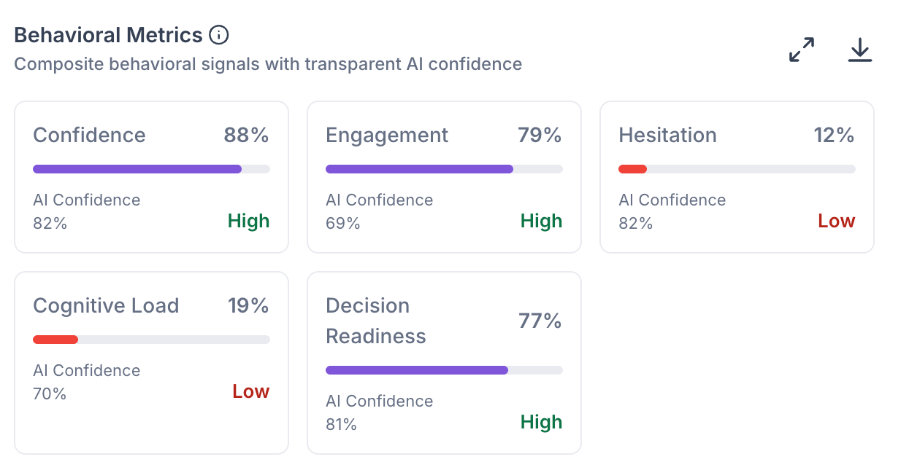
Each metric includes a score, AI confidence, and supporting context, helping users understand the insight and how confidently it was identified.
Conversation Dynamics
Conversation Dynamics helps researchers understand how the interview progressed between the participant and researcher.
It includes:
- Participant Talk Ratio – Shows how much of the conversation was spent with the participant speaking.
- Researcher Talk Ratio – Shows how much of the conversation was spent with the researcher speaking.
- Average Response Time – Shows how long the participant typically takes before beginning a response.
- Reflection Time – Shows the accumulated time spent thinking or processing before responding.
- Longest Pause – Highlights the longest period of silence during the conversation.
- Interruptions – Shows detected interruptions during the conversation.
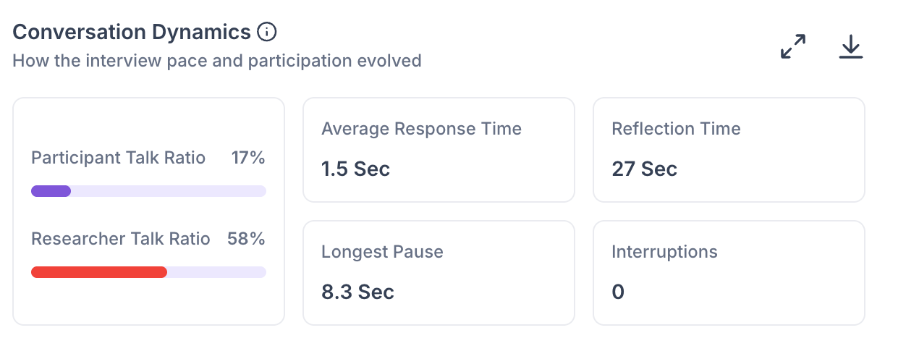
Together, these metrics help researchers understand the flow, participation, and overall dynamics of the interview.
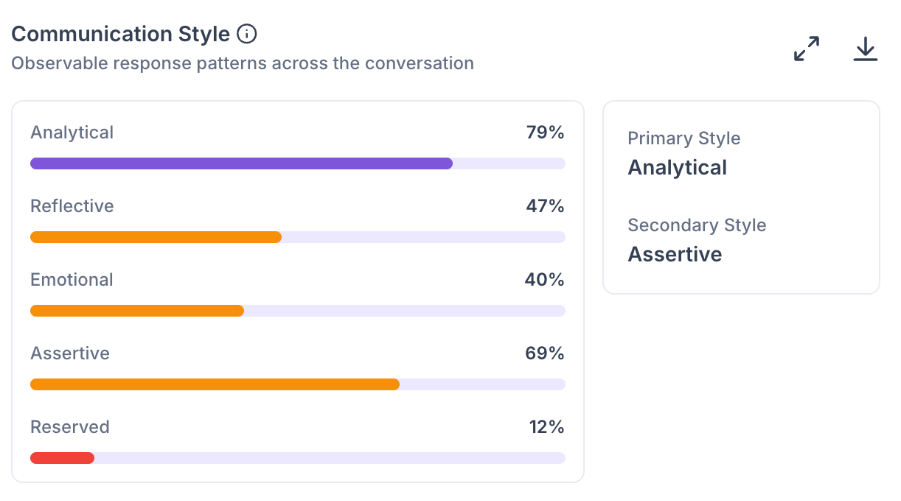
Communication Style
The Communication Style section identifies how the participant tends to communicate during the interview.
It evaluates five communication styles:
- Analytical – Communicates through logic, facts, reasoning, examples, and comparisons.
- Reflective – Takes time to think through responses and consider experiences or different perspectives.
- Emotional – Expresses feelings and emotions more prominently in their communication.
- Assertive – Communicates opinions and preferences clearly and directly.
- Reserved – Tends to provide shorter or less verbally expressive responses.
The system also identifies the participant’s primary and secondary communication styles, giving researchers a quick understanding of how the participant typically expresses their views.
AI Confidence & Explainability
Behavioral Insights are supported by AI confidence and evidence from the interview, helping users understand that these metrics are AI-generated interpretations based on the available interview data.
Depending on the metric, the analysis considers relevant signals such as language, speech patterns, pauses, pacing, emotional signals, and conversation flow.
Why This Matters
- Helps researchers understand participants beyond what they explicitly say.
- Makes behavioral changes and significant interview moments easier to identify.
- Provides additional context when interpreting participant responses.
- Helps researchers understand conversation dynamics and communication styles.
- Brings behavioral insights together in one place instead of requiring manual interpretation across the interview.
3. Context-Aware AI Moderator
Overview
The AI Moderator can now understand what participants are viewing on their shared screen and use that context during the conversation.
This allows the moderator to ask more relevant follow-up questions based on the participant’s current on-screen experience.
What’s Changed
The AI Moderator can use context from:
- Websites
- Prototypes
- Figma experiences
- Presentations
- Documents
- Images
- Videos
- Shared applications
The moderator can understand visible elements and use the current screen context along with the conversation to generate more relevant probes.
Why This Matters
- Enables more contextual AI moderation.
- Helps the moderator understand what participants are referring to on screen.
- Supports more natural follow-up questions during usability, concept, and media testing.
- Reduces reliance on generic follow-up questions.
4. AI Moderator – Improved Meeting Experience & Screen Sharing
Overview
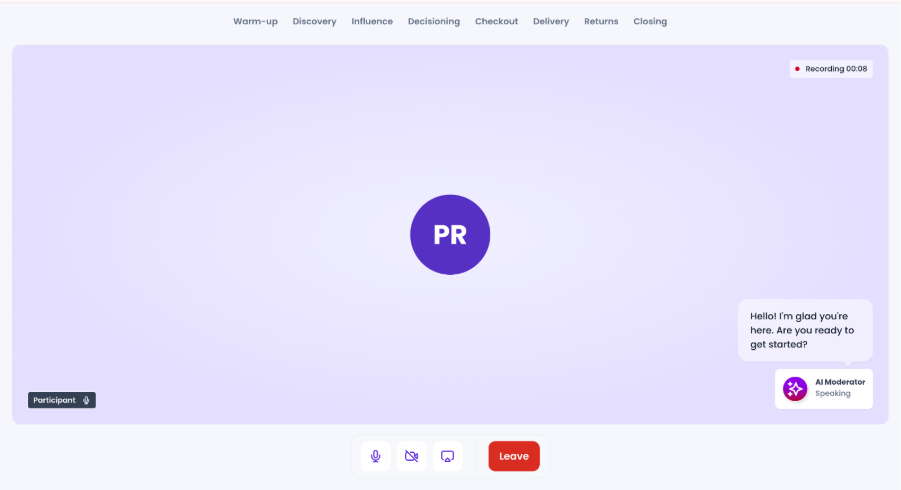
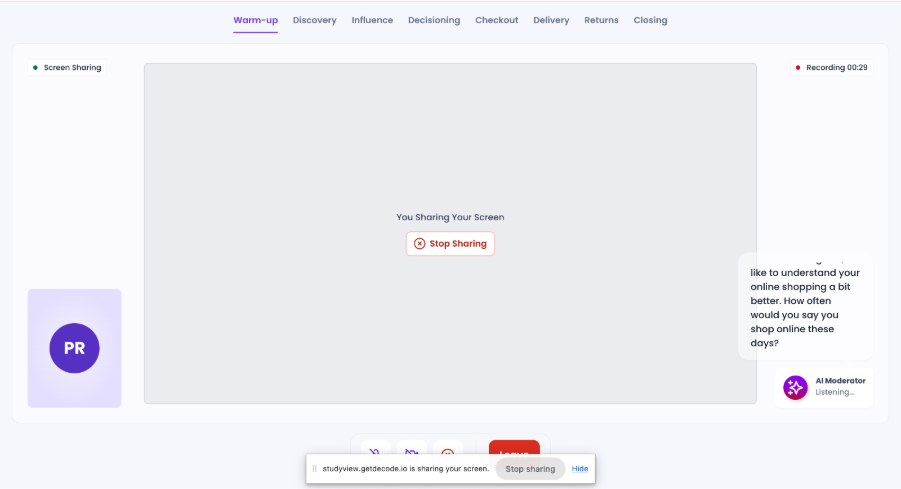
The AI Moderator meeting experience has been enhanced with a more focused meeting layout and an explicit screen-sharing experience, making it easier for participants and researchers to discuss on-screen content during interviews.
What’s Changed
The updated meeting experience includes:
- A more focused meeting layout
- Clearer participant and meeting states
- Improved meeting controls
- Share Screen functionality
- Browser tab, application window, and full-screen sharing options
- Clear indication when screen sharing is active
- Improved handling when screen sharing is stopped or interrupted
Why This Matters
- Makes it easier to review prototypes, websites, presentations, and other stimuli during interviews.
- Provides clearer visibility into the current meeting and sharing state.
- Creates a smoother experience when discussing on-screen content.
Improvements
1. Native 100ms Meeting UI for Live Interviews
Overview
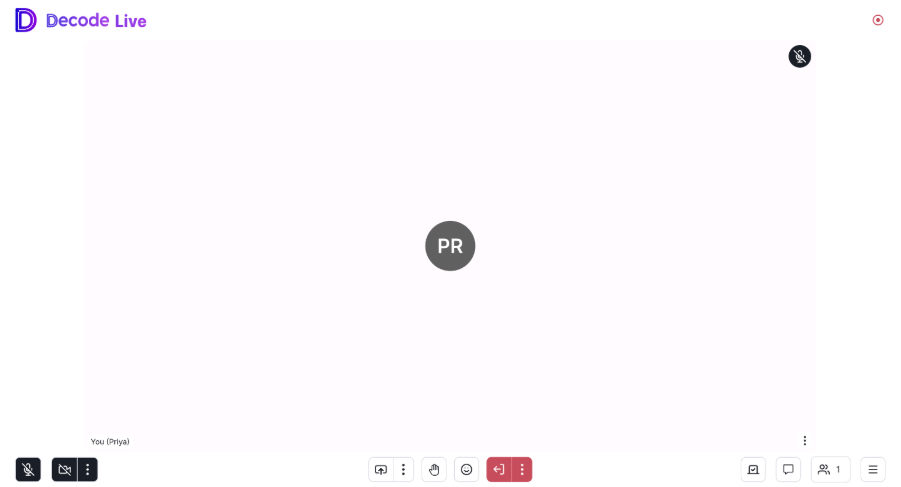
The Decode Live Interview experience has been updated to use the native 100ms meeting interface instead of the previous custom meeting UI.
What’s Changed
The updated experience retains existing Decode meeting functionality, including:
- Meeting roles and permissions
- Participant access
- Audio and video controls
- Participant screen sharing
- Chat
- Recording
- Existing meeting workflows
Participants can now share their screen directly from the meeting interface without requiring the moderator to grant screen-sharing permission first. This makes it easier to share prototypes, websites, presentations, or other content during an interview.
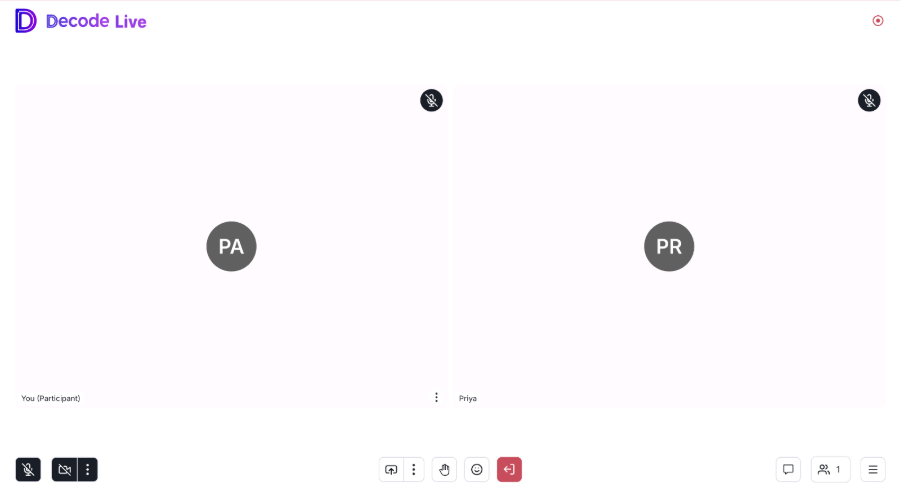
The experience continues to use the existing Decode meeting permissions and workflows while benefiting from the native 100ms meeting interface.
Mobile Browser Support
Live Interview sessions can now also be accessed directly through a mobile browser. Participants no longer need to install the Decode app to join and proceed with a session on their mobile device.
Business Impact
This provides a more streamlined Live Interview experience, particularly when participants need to share their screen during usability testing, prototype testing, or other research activities.
2. Server-Side Recording for AI Moderated Interviews
Overview
Recording for AI Moderated Interviews has been improved by moving recording to the server side, helping make interview recordings more reliable.
What’s Changed
The system now captures and processes interview recordings on the server, including:
- Participant audio/video
- AI Moderator audio
- Recording status and processing
- Secure recording storage
- Association of recordings with the relevant interview
Stimuli can also be synchronized with the recording timeline for downstream processing.
Business Impact
- Improves recording reliability.
- Reduces dependency on browser-side recording.
- Helps ensure completed interviews have reliable recordings available for AI processing and analysis.
- Establishes a stronger foundation for future multi-participant research workflows.
3. Enhanced Decode Copilot with Complete Creative Metrics & Persona-Level Insights
Overview
Decode Copilot has been enhanced to use the complete set of available AI Creative Insights, enabling richer and more contextual responses.
What’s Changed
Copilot can now leverage:
- Creative performance metrics
- Emotional analytics
- Benchmark comparisons
- Audience summaries
- Persona-level metrics
- Persona narratives
- Persona fit
- Observed behaviors
- Persona recommendations
- Attention and visual insights
This allows Copilot to provide deeper explanations around not only what performed well, but why.
Business Impact
Researchers can ask more detailed questions and receive richer, evidence-based responses that bring together creative performance, audience behavior, and persona-level insights in one place.
Bug Fixes
1. Speaker Labels Not Updated in Highlights and Analytics
Fixed an issue where assigned speaker labels were updated correctly in the transcript but continued to appear as Person 1, Person 2, Person 3, etc. in the Highlights pane and Speaker Metrics / Speaker Phase Metrics charts.
Speaker labels now remain consistent across the transcript, Highlights, and Analytics views.
2. Home Team Update Not Reflected Immediately
Fixed an issue where changes to a user’s Home Team under Settings > Profile were not immediately reflected in the left navigation or Library.
Users no longer need to refresh the browser to see the updated Home Team and its associated Library contents.