
Read your first report
Once you have collected responses, use the Results tab to review your data and the Report tab to turn your findings into a shareable report.
Start with Results
Open your study and click Results.
The Results tab gives you an overview of your study and its responses, including:
- Blocks - The number of blocks in your study.
- Responses - Your valid completed responses.
- Screened-out - Participants who did not qualify for the study.
- Drop-offs - Participants who started the study but did not complete it.
- Completion rate - The percentage of participants who completed the study.
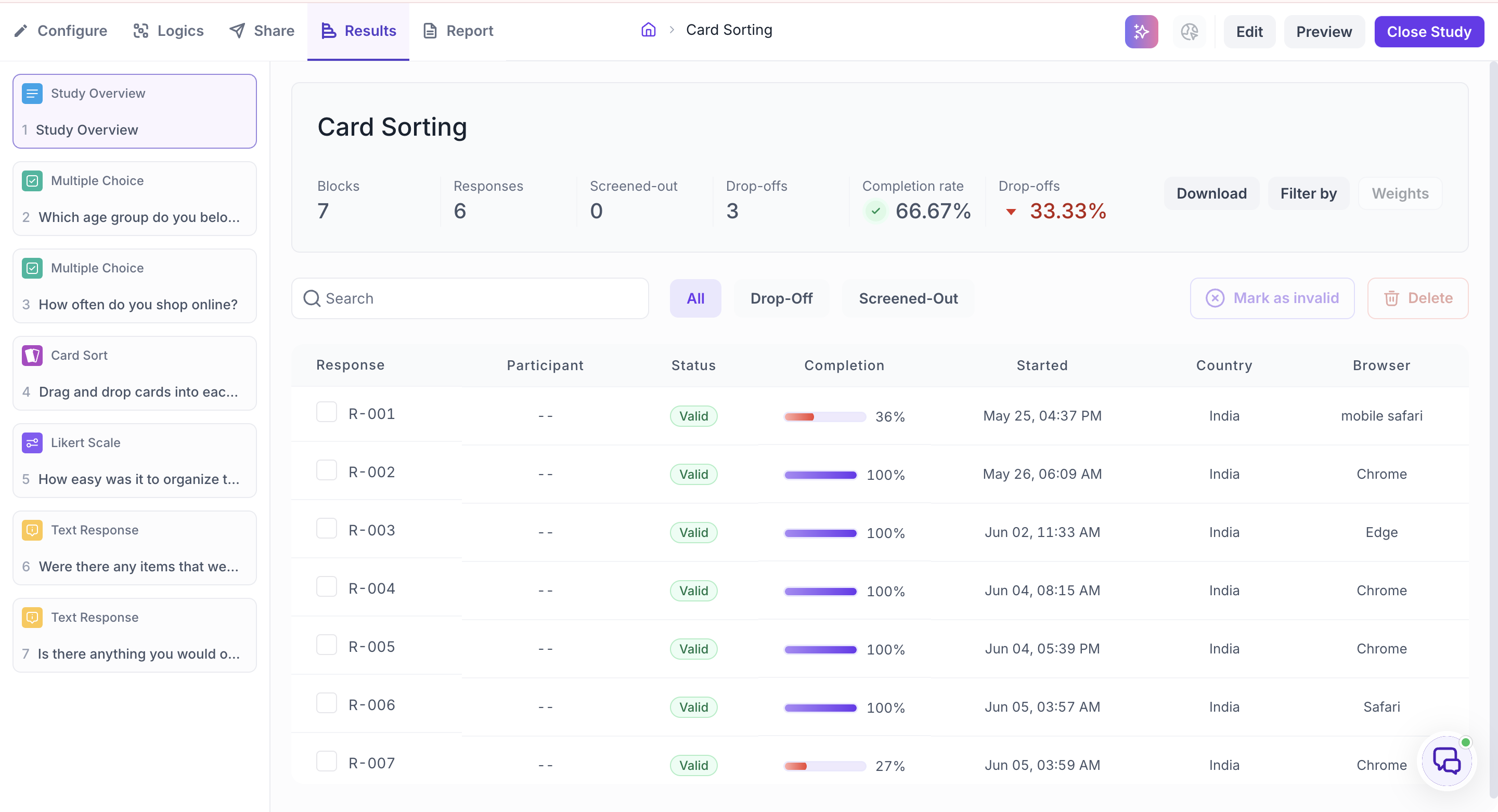
You can also use the response table to view individual responses. Use the All, Drop-Off, and Screened-Out filters to focus on specific responses, or use Search to find a particular response.
Review your responses
The left panel shows the blocks in your study. Select a block to see how participants responded, along with the chart and underlying data.
Refine your results
You can refine your results before creating your report.
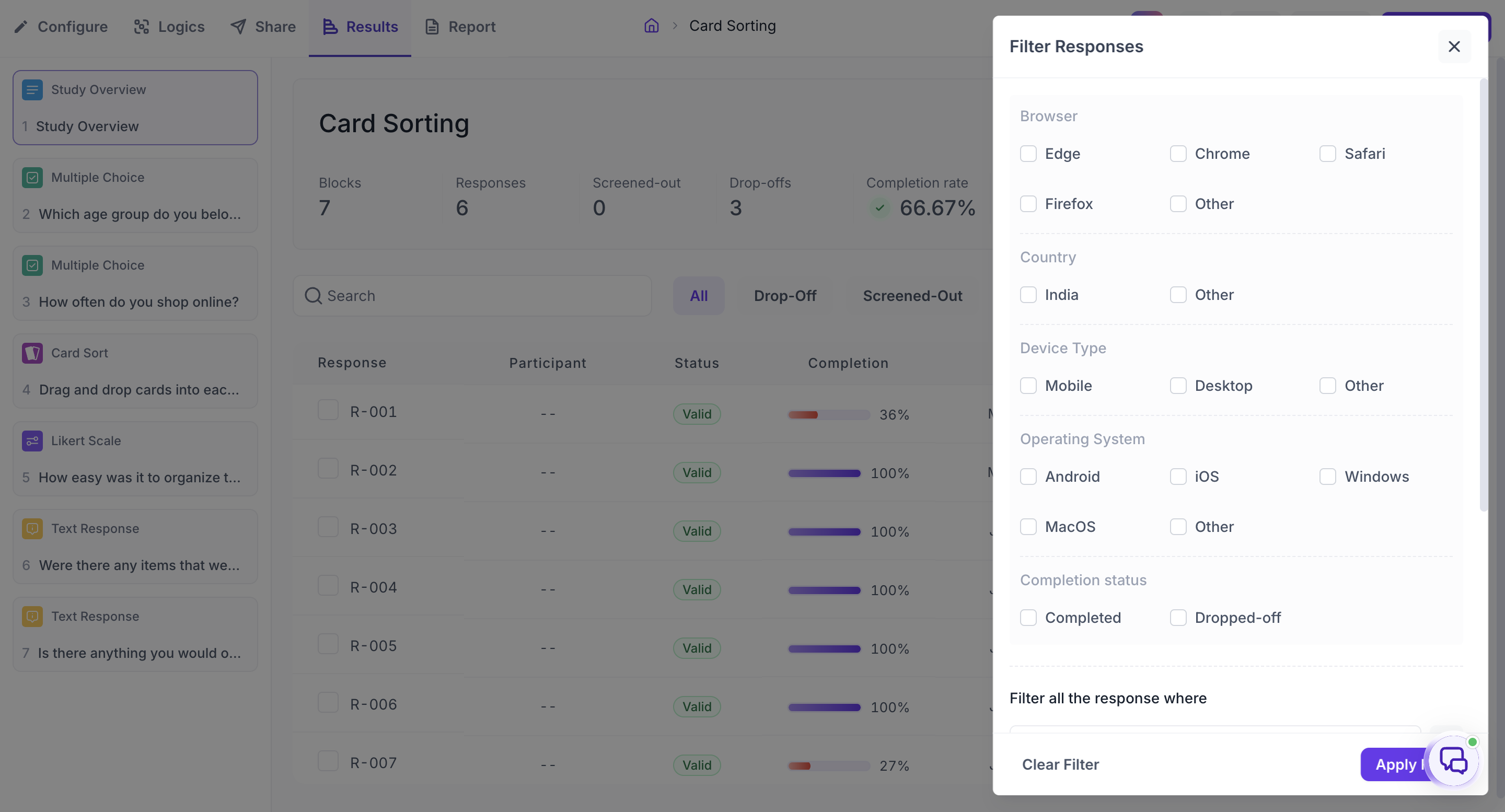
- Filter by — Filter responses based on a specific answer or participant segment.
- Weights — Apply weighting when your sample does not match your target population.
- Mark as invalid — Exclude poor-quality responses from your analysis.
- Download — Export your raw data for further analysis.
Generate a report
Once you're ready to turn your findings into a report:
- Open the Report tab.
- Select Generate with AI to have Decode analyse your responses and create a presentation, or select Start From Scratch to create your own.
- If you use AI, provide details such as your research objective, key insights, preferred report template, report type ( outline or detailed report ), and any specific requirements for the report.
- Decode generates slides with key findings, charts, and supporting evidence.
- Review your report and you can also generate multiple reports from the same study with different objectives, prompts, templates, or levels of detail.
- Share or export the completed report with your team.
A quick way to review your results
If you're reviewing your first study, start by:
- Checking your Completion rate and Drop-offs.
- Reviewing the results for each block along with the available AI Insights.
- Using Copilot when you need to explore a result further, ask follow-up questions, or get additional analysis.
- Filtering the results by relevant segments to identify differences or patterns.
- Using the findings and insights to build your report.
Tip: Your studies and reports are available from the Home page. You can organise related studies and files into folders to keep your project together.