
Release Notes - 20th July, 2026
This release introduces enhancements across Task Studies, Quantitative Studies, AI-Moderated Interviews, Prototype Testing, study management, and overall platform reliability.
Key highlights include Enhanced Journey Mapping for Live Website Testing, Invalid Response Management for reviewing and controlling response quality, Multiple Stimuli Support for AI-Moderated Interviews, AI Reports for Prototype Testing, the ability to Reopen Closed Studies, and several platform improvements to collections, dashboard filtering, media uploads, and Conjoint study navigation.
Major Feature Enhancements
1. Enhanced Journey Mapping for Task Studies
Overview
Decode now introduces Enhanced Journey Mapping for Task Studies, enabling researchers to gain a more accurate view of participant navigation during Live Website Testing. Researchers can better understand how participants progress through tasks, making it easier to analyze navigation paths, identify friction points, and uncover usability insights.
What's Changed
Journey detection has been enhanced to automatically identify meaningful navigation throughout a participant's task, providing a more complete view of their experience.
Researchers can now visualize key journey steps during session playback, including page navigation, in-page interactions, and multi-step workflows. Each detected step is presented within the journey timeline, making it easier to understand the sequence of participant actions and the time spent at each stage.
These enhancements provide a more consistent journey mapping experience across different websites and applications, enabling richer behavioral analysis and more reliable usability insights.
Key Impact
- Delivers more accurate participant journey mapping.
- Improves visibility into task completion paths and navigation behavior.
- Enables better identification of usability issues, friction points, and drop-offs.
- Enhances session playback with clearer journey visualization.
- Provides richer behavioral insights for Live Website and App Testing.
2. Invalid Response Management for Quantitative Studies
Overview
Decode now introduces Invalid Response Management for Quantitative Studies, giving researchers greater control over response quality and study integrity. Researchers can now review, invalidate, restore, and permanently delete responses directly within a study, ensuring that only high-quality responses contribute to analytics, reports, exports, and AI-generated insights.
What's Changed
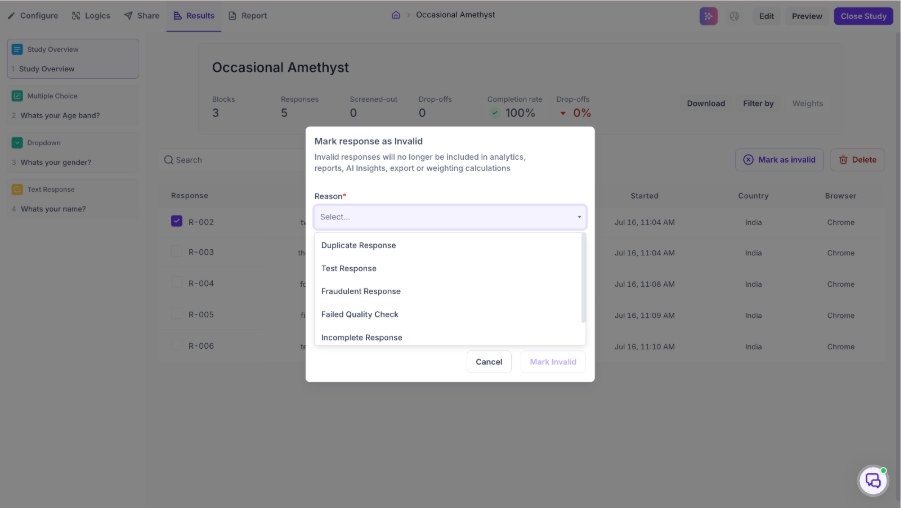
Researchers can now mark individual or multiple responses as Invalid by selecting a predefined reason, such as Duplicate Response, Test Response, Fraudulent Response, Failed Quality Check, Incomplete Response, or Other.
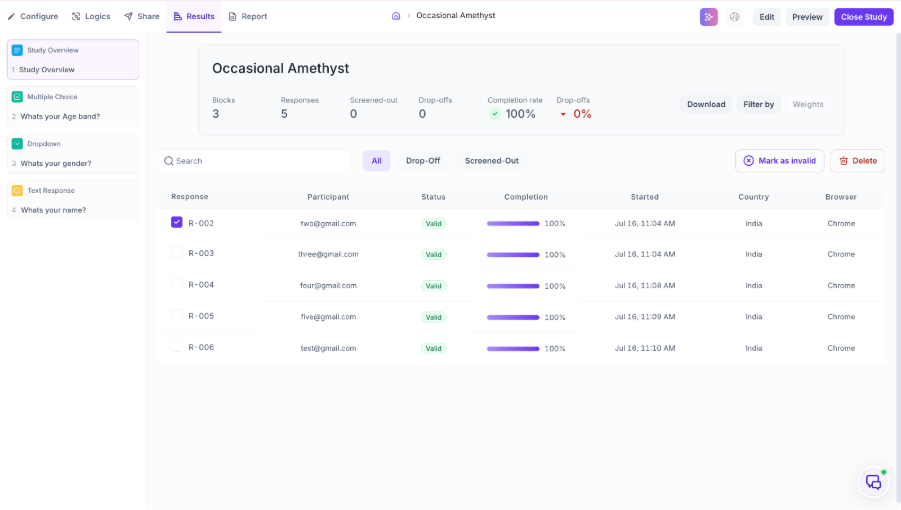
Invalid responses are automatically excluded from analytics, AI-generated insights, reports, exports, and weighting calculations while remaining available within the study. Researchers can restore invalidated responses at any time, allowing them to be included in study results again if needed.
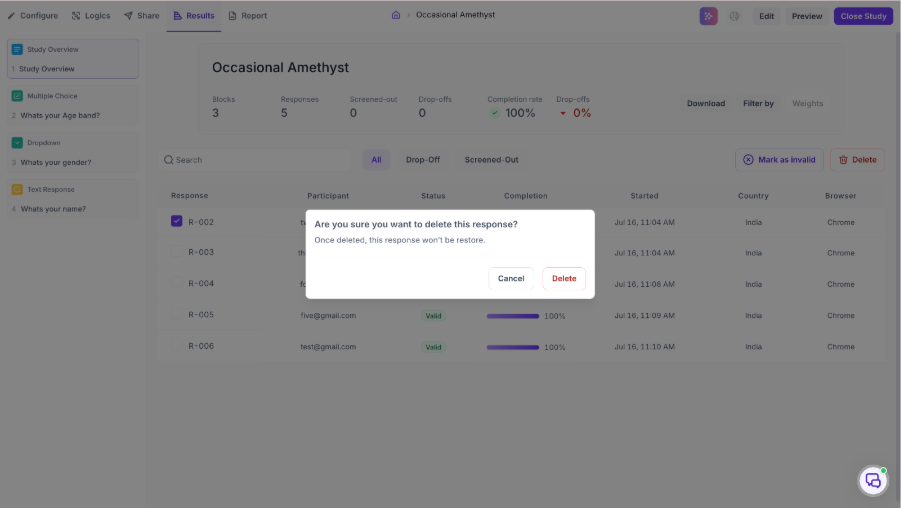
Workspace Administrators can also permanently delete responses when required. Additionally, the Study Overview now displays separate counts for Valid and Invalid responses, providing better visibility into overall response quality.
Key Impact
- Enables researchers to efficiently manage response quality.
- Supports standardized response invalidation with predefined reasons.
- Ensures only valid responses contribute to analytics, reports, exports, and AI insights.
- Allows invalid responses to be restored whenever needed.
- Enables permanent deletion of responses when required.
- Improves confidence in quantitative research findings.
3. Multiple Stimuli Support for AI-Moderated Interviews
Overview
Decode now enhances AI-Moderated Interviews with support for attaching multiple stimuli to a single research goal, enabling researchers to evaluate multiple concepts, creatives, prototypes, designs, or other research assets while maintaining a unified discussion objective.
What's Changed
Researchers can now attach and manage multiple stimuli within a single interview goal, making it easier to evaluate several concepts as part of the same discussion.
Each stimulus can be configured with its own presentation order and display settings, giving researchers greater flexibility in how research assets are introduced during the interview. The AI Moderator automatically presents the appropriate stimulus at the right stage of the conversation and uses it as context while maintaining alignment with the overall research objective.
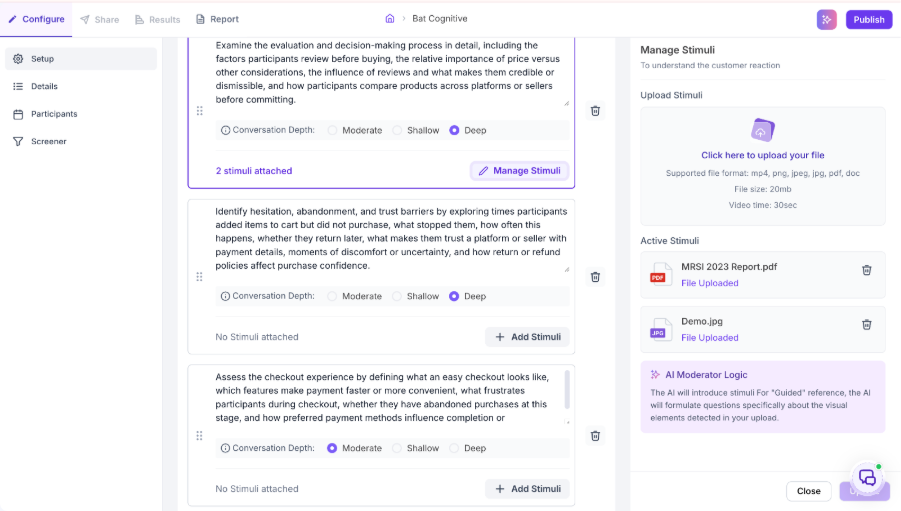
The interview experience also supports seamless transitions between stimuli, ensuring participants can evaluate multiple assets without interrupting the conversation flow. Session continuity is maintained by restoring the active stimulus if a participant reconnects during an interview.
Key Impact
- Enables evaluation of multiple concepts within a single research goal.
- Supports structured discussions across multiple research assets.
- Provides greater flexibility for concept, creative, and prototype evaluations.
- Delivers a more seamless AI-moderated interview experience.
- Maintains conversation continuity throughout multi-stimulus discussions.
4. AI Reports for Prototype Testing Studies
Overview
Decode now extends AI Reports to Prototype Testing studies, enabling researchers to automatically analyze participant interactions and quickly uncover usability insights without manually reviewing individual sessions.
What's Changed
AI Reports can now generate comprehensive summaries for Prototype Testing studies by analyzing participant interactions, navigation behavior, first-click patterns, and participant feedback.
AI Reports automatically highlight key usability findings, identify common behavioral patterns and friction points, and provide AI-generated recommendations to help researchers quickly understand how participants interacted with their prototypes.
These insights are available within the AI Report experience and are also supported in exported reports, making it easier to share findings with stakeholders.
Key Impact
- Extends AI Reports to Prototype Testing studies.
- Accelerates usability analysis with AI-generated summaries.
- Highlights navigation patterns and first-click behavior.
- Identifies usability issues and participant behavior trends.
- Provides actionable design recommendations.
5. Reopen Closed Studies
Overview
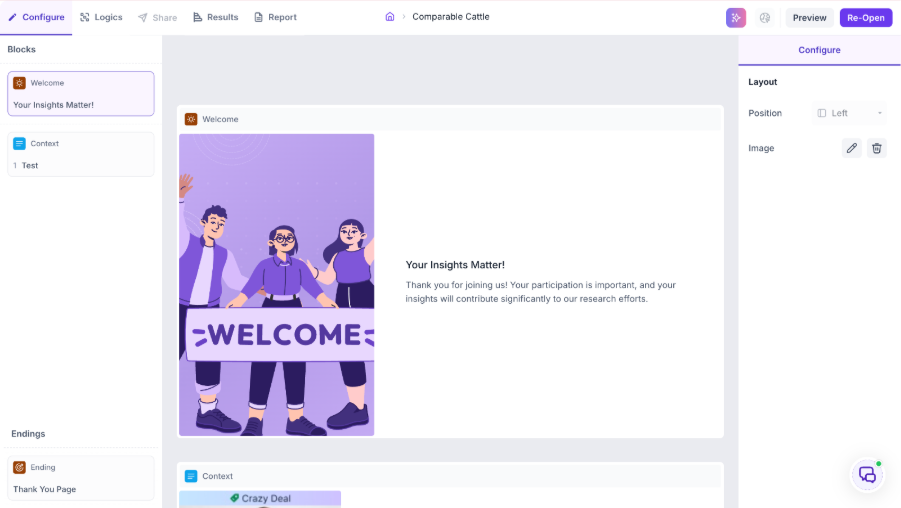
Decode now allows researchers to reopen previously closed studies, providing greater flexibility to continue data collection, make study updates, or resume research activities without creating a duplicate study.
What's Changed
Researchers with the appropriate permissions can now reopen eligible studies directly from the study actions menu.
When reopening a study, users can choose to move it back to Draft for further edits or Active to resume participant collection. Existing participant responses, recordings, reports, and study configurations remain intact when a study is reopened.
All reopen actions are captured as part of the study lifecycle, allowing researchers to continue working on existing studies without losing previous progress.
Key Impact
- Eliminates the need to duplicate studies.
- Preserves study continuity and historical data.
- Provides greater flexibility in study management.
- Enables researchers to quickly resume participant collection.
- Improves efficiency across ongoing research projects.
Bug Fixes & Platform Improvements
1. Improved Collection Display for Large Datasets
Overview
The Collection experience has been enhanced to ensure consistent and accurate display of studies and files, even when collections contain a large number of items.
Issue Resolved
Previously, when scrolling through collections containing a large number of studies or files, users could occasionally see items from other collections being displayed. This behavior has now been resolved, ensuring that only items belonging to the selected collection are shown throughout the browsing experience.
Impact
- Ensures collections display only their associated items.
- Improves navigation and browsing accuracy for large collections.
- Provides a more reliable and consistent collection management experience.
2. Duplicate "Thai" Language Option in Media Upload
Overview
The Media Upload experience has been refined to improve language selection consistency.
Issue Resolved
A duplicate Thai language option was previously displayed in the language selection dropdown during media uploads. This duplicate entry has been removed, ensuring each supported language appears only once.
Impact
- Eliminates duplicate language options.
- Provides a cleaner and more intuitive language selection experience.
- Improves consistency across media upload workflows.
3. Filter Reset Improvements for Dashboard Navigation
Overview
Dashboard filtering has been improved to provide a more predictable and seamless navigation experience.
Issue Resolved
Previously, when users navigated away from the Dashboard and returned after applying filters, clearing the filters did not immediately restore the complete study list. This behavior has now been corrected, ensuring filters reset properly and all studies are displayed as expected.
Impact
- Ensures filters reset correctly across navigation.
- Restores complete study listings immediately after clearing filters.
- Improves consistency and usability of the Dashboard experience.
4. Consecutive Conjoint Block Navigation Fix
Overview
The Quantitative Study experience has been enhanced to ensure smooth participant progression through studies containing multiple Conjoint blocks.
Issue Resolved
Previously, participants could encounter a blank screen when navigating through studies with consecutive Conjoint blocks, interrupting the study flow. This issue has now been resolved, allowing participants to transition seamlessly between Conjoint blocks and continue the study without interruption.
Impact
- Eliminates blank screens between consecutive Conjoint blocks.
- Ensures uninterrupted participant progression through studies.
- Improves the overall reliability and completion experience for Conjoint studies.