
Two-factor authentication
Overview
Two-factor authentication adds an extra layer of security to your account. Once enabled, Decode asks for a verification code in addition to your password when you log in from a new device.
Turn on two-factor authentication
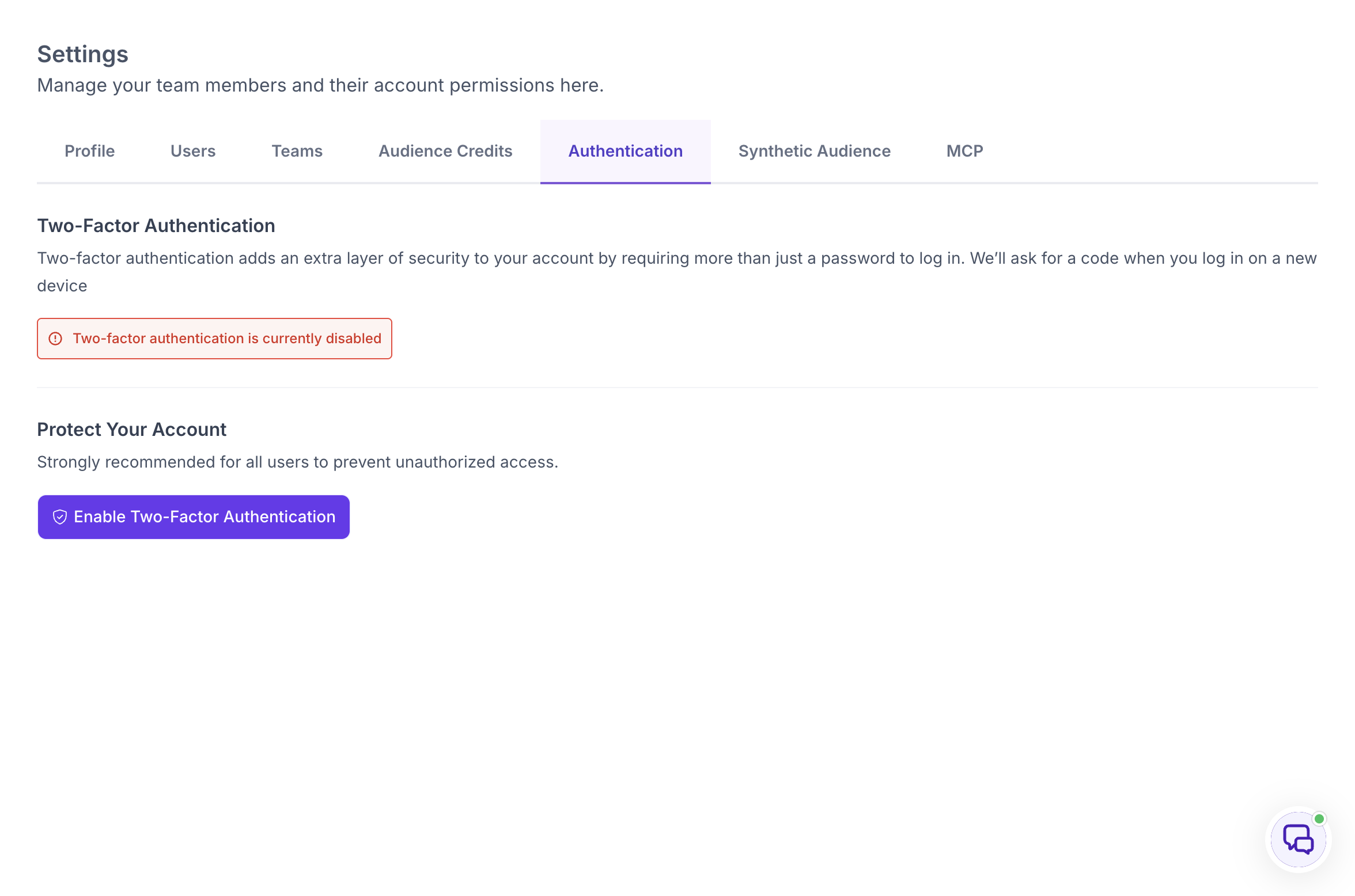
Go to Settings and open the Authentication tab. You will see the current status of two-factor authentication on your account.
If it is disabled, click Enable Two-Factor Authentication under Protect Your Account.
Set it up
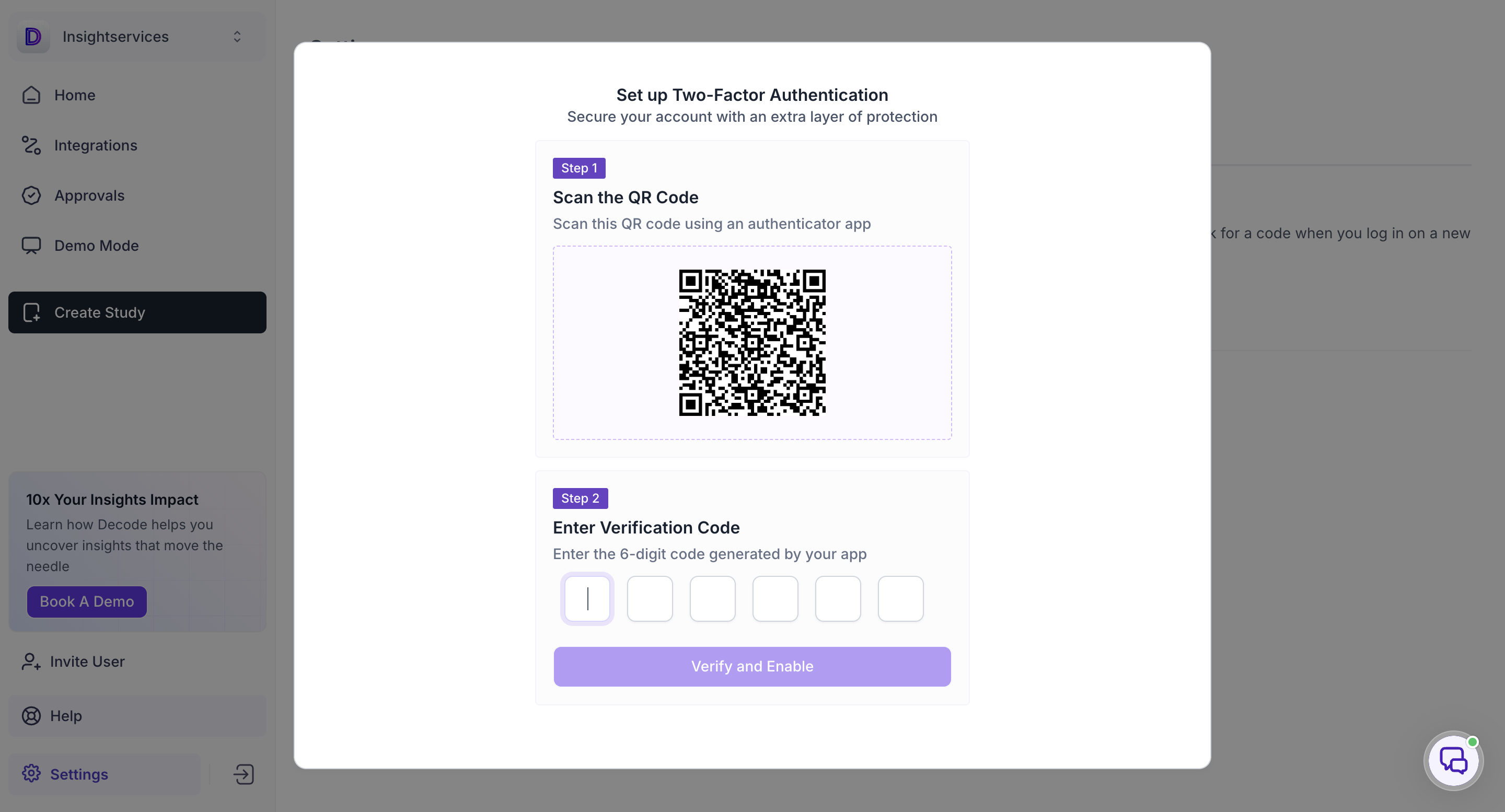
Scan the QR code shown on screen using an authenticator app on your phone. Enter the 6-digit code generated by your authenticator app, then click Verify and Enable.
Once verified, two-factor authentication is active on your account. From now on, Decode will ask for a code from your authenticator app when you log in on a new device.