
Fogmap interpretation
The fogmap shows the areas of your creative that viewers are least likely to notice. This article explains how to open it and how to read what it shows.
OPENING THE FOGMAP
Use the dropdown below the creative in the visual view to switch from Original to Fogmap.
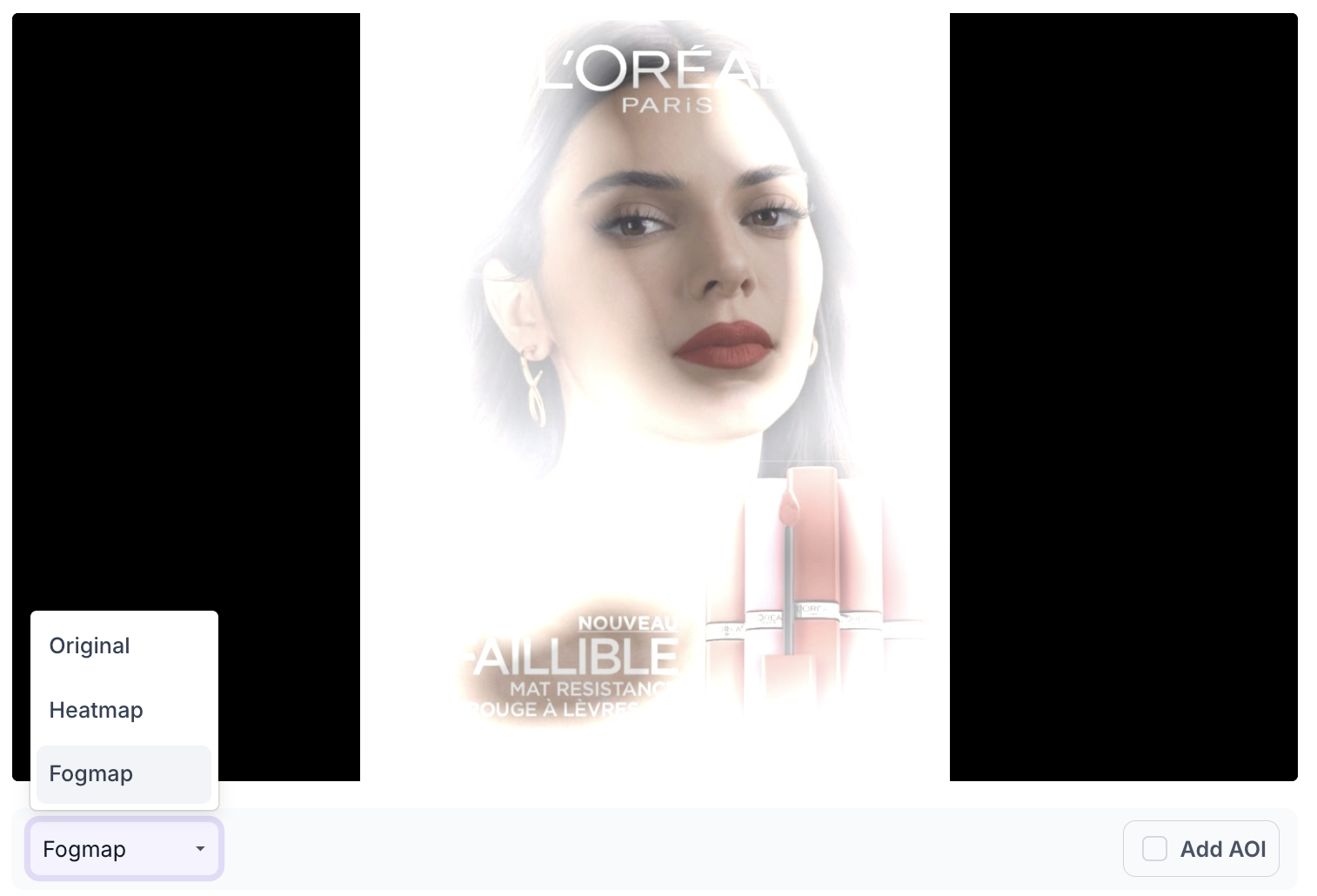
HOW TO READ IT
The clear areas are the ones viewers are likely to notice. The hidden areas are predicted to receive little or no attention. Go through the elements carrying your message, such as the CTA, the price, the offer and the logo, and check whether each one sits in a clear area or a hidden one. An element in a hidden area is present in the creative but is not expected to be noticed, so whatever it was meant to communicate is not being delivered.
READ IT WITH THE HEATMAP
The heatmap grades attention across the whole creative on a colour scale. The fogmap gives a straight reading of noticed or not noticed.
An element can sit in a yellow area on the heatmap and still land in a hidden area on the fogmap, because it draws some attention but not enough to be reliably noticed. Where the two disagree, the fogmap is the stricter test and the one to trust on creatives seen briefly, such as display ads, social posts and out of home. See Heatmap interpretation.
READ IT WITH TIME TO DISCOVER
The fogmap tells you whether an element is noticed. Time to Discover tells you how long it takes.
Mark any element that sits in a clear area but away from the strongest attention as an area of interest and check its Time to Discover. An element noticed only after several seconds will not survive a short exposure, even though the fogmap shows it clear. See Time to Discover.